" height="31.469717497114758px" id="eCOXNpv5s" transform="translate(0 8.53)" width="32.43161611406683px"/><path d="M 6.851 1.35 C 6.851 4.361 4.335 6.803 1.23 6.803 L 0 6.803 L 0 5.452 C 0 2.442 2.515 0 5.62 0 L 6.85 0 L 6.85 1.35 Z" fill="rgb(255, 87, 20)" height="6.8031511867128245px" id="yGyYVDzJf" transform="translate(16.216 0)" width="6.851178904096614px"/><path d="M 59.255 11.828 C 59.12 11.828 59.053 11.758 59.053 11.615 L 59.053 0.426 C 59.053 0.285 59.12 0.214 59.255 0.214 L 66.26 0.214 C 66.394 0.214 66.46 0.284 66.46 0.427 L 66.46 1.881 C 66.46 2.022 66.394 2.093 66.26 2.093 L 61.248 2.093 L 61.248 5.054 L 65.821 5.054 C 65.955 5.054 66.022 5.125 66.022 5.268 L 66.022 6.633 C 66.022 6.774 65.955 6.845 65.821 6.845 L 61.248 6.845 L 61.248 9.948 L 66.26 9.948 C 66.394 9.948 66.46 10.019 66.46 10.161 L 66.46 11.616 C 66.46 11.757 66.394 11.828 66.26 11.828 Z M 51.202 12.04 C 50.313 12.04 49.532 11.874 48.861 11.544 C 48.203 11.213 47.662 10.694 47.307 10.054 C 46.942 9.403 46.758 8.606 46.758 7.66 L 46.758 4.38 C 46.758 2.962 47.184 1.88 48.038 1.135 C 48.904 0.378 50.087 0 51.587 0 C 52.661 0 53.563 0.166 54.294 0.497 C 55.037 0.828 55.581 1.289 55.922 1.88 C 56.276 2.459 56.398 3.127 56.287 3.884 C 56.276 4.024 56.202 4.097 56.068 4.097 L 54.295 4.078 C 54.148 4.078 54.081 4.008 54.092 3.866 C 54.117 3.44 54.038 3.079 53.855 2.784 C 53.684 2.477 53.416 2.246 53.05 2.092 C 52.685 1.939 52.215 1.862 51.641 1.862 C 50.751 1.862 50.08 2.074 49.629 2.5 C 49.178 2.914 48.953 3.559 48.953 4.433 L 48.953 7.607 C 48.953 8.494 49.172 9.143 49.612 9.558 C 50.062 9.971 50.727 10.178 51.605 10.178 C 52.459 10.178 53.111 9.989 53.562 9.611 C 54.014 9.22 54.239 8.659 54.239 7.926 L 54.239 7.359 L 51.77 7.359 C 51.623 7.359 51.55 7.288 51.55 7.146 L 51.55 5.958 C 51.55 5.828 51.623 5.762 51.77 5.762 L 56.123 5.762 C 56.257 5.762 56.325 5.828 56.325 5.958 L 56.325 9.22 C 56.325 9.622 56.331 10.031 56.343 10.444 C 56.367 10.858 56.41 11.242 56.471 11.597 C 56.495 11.667 56.483 11.728 56.434 11.774 C 56.395 11.81 56.342 11.829 56.288 11.827 L 54.86 11.827 C 54.809 11.83 54.758 11.817 54.714 11.792 C 54.674 11.751 54.643 11.703 54.623 11.65 C 54.594 11.479 54.569 11.308 54.549 11.136 L 54.512 10.55 L 54.476 10.55 C 54.265 10.862 53.998 11.132 53.69 11.348 C 53.364 11.583 52.998 11.757 52.61 11.863 C 52.151 11.986 51.677 12.046 51.201 12.04 Z M 34.943 11.828 C 34.809 11.828 34.742 11.758 34.742 11.615 L 34.742 0.426 C 34.742 0.285 34.809 0.214 34.943 0.214 L 37.541 0.214 C 37.662 0.214 37.748 0.261 37.797 0.355 L 40.741 6.119 C 40.949 6.508 41.138 6.886 41.309 7.253 C 41.63 7.897 41.923 8.553 42.187 9.222 L 42.241 9.222 C 42.217 8.903 42.199 8.559 42.186 8.193 L 42.15 7.059 L 42.15 0.427 C 42.15 0.285 42.217 0.214 42.352 0.214 L 44.071 0.214 C 44.217 0.214 44.29 0.284 44.29 0.427 L 44.29 11.616 C 44.29 11.757 44.217 11.828 44.071 11.828 L 41.509 11.828 C 41.388 11.828 41.303 11.781 41.254 11.686 L 38.4 6.119 C 38.215 5.759 38.032 5.399 37.852 5.037 C 37.683 4.664 37.513 4.291 37.34 3.92 C 37.189 3.57 37.036 3.222 36.882 2.873 L 36.827 2.873 L 36.864 3.99 C 36.876 4.369 36.882 4.747 36.882 5.125 L 36.882 11.615 C 36.882 11.757 36.809 11.828 36.663 11.828 Z M 22.818 11.828 C 22.659 11.828 22.598 11.752 22.635 11.597 L 26.586 0.373 C 26.622 0.267 26.701 0.213 26.823 0.213 L 29.164 0.213 C 29.299 0.213 29.384 0.267 29.421 0.373 L 33.389 11.597 C 33.439 11.752 33.383 11.828 33.225 11.828 L 31.286 11.828 C 31.165 11.828 31.085 11.775 31.048 11.668 L 28.689 4.381 C 28.567 3.99 28.446 3.607 28.324 3.228 L 27.994 2.057 L 27.957 2.057 C 27.848 2.436 27.732 2.82 27.609 3.21 C 27.5 3.589 27.384 3.967 27.262 4.344 L 24.958 11.65 C 24.921 11.769 24.837 11.828 24.702 11.828 L 22.817 11.828 Z M 25.323 9.399 L 25.744 7.661 L 30.189 7.661 L 30.628 9.399 Z M 12.919 11.828 C 12.784 11.828 12.717 11.758 12.717 11.615 L 12.717 0.426 C 12.717 0.285 12.784 0.214 12.919 0.214 L 16.76 0.214 C 18.333 0.214 19.479 0.509 20.199 1.1 C 20.918 1.68 21.278 2.531 21.278 3.654 C 21.278 4.47 21.083 5.161 20.692 5.728 C 20.314 6.284 19.748 6.668 18.992 6.881 L 18.992 6.917 L 21.936 11.58 C 21.986 11.65 21.992 11.711 21.954 11.757 C 21.93 11.805 21.875 11.828 21.79 11.828 L 19.76 11.828 C 19.655 11.831 19.556 11.777 19.504 11.686 L 16.742 7.201 L 14.912 7.201 L 14.912 11.616 C 14.912 11.757 14.839 11.828 14.694 11.828 Z M 14.912 5.516 L 16.669 5.516 C 17.51 5.516 18.119 5.374 18.497 5.09 C 18.887 4.806 19.083 4.351 19.083 3.725 C 19.083 3.11 18.906 2.672 18.553 2.413 C 18.198 2.152 17.601 2.022 16.759 2.022 L 14.912 2.022 L 14.912 5.515 Z M 5.412 12.04 C 3.804 12.04 2.596 11.668 1.791 10.923 C 0.986 10.166 0.585 9.084 0.585 7.678 L 0.585 4.362 C 0.585 2.943 0.986 1.862 1.791 1.117 C 2.596 0.372 3.804 0 5.413 0 C 7.01 0 8.211 0.372 9.016 1.117 C 9.821 1.862 10.223 2.943 10.223 4.362 L 10.223 7.678 C 10.223 9.084 9.821 10.167 9.017 10.923 C 8.211 11.667 7.01 12.04 5.413 12.04 Z M 5.412 10.178 C 6.279 10.178 6.931 9.959 7.37 9.522 C 7.809 9.073 8.029 8.423 8.029 7.572 L 8.029 4.469 C 8.029 3.618 7.809 2.974 7.37 2.536 C 6.931 2.086 6.279 1.862 5.413 1.862 C 4.546 1.862 3.889 2.086 3.437 2.536 C 2.999 2.974 2.778 3.618 2.778 4.469 L 2.778 7.572 C 2.778 8.423 2.999 9.073 3.437 9.522 C 3.889 9.959 4.548 10.178 5.413 10.178 Z M 59.488 25.96 C 59.38 25.96 59.326 25.905 59.326 25.796 L 59.326 15.351 C 59.326 15.241 59.38 15.187 59.488 15.187 L 61.849 15.187 C 63.197 15.187 64.205 15.565 64.874 16.321 C 65.542 17.068 65.877 18.203 65.877 19.726 L 65.877 21.026 C 65.877 22.682 65.548 23.921 64.891 24.743 C 64.233 25.555 63.235 25.96 61.898 25.96 Z M 60.863 24.545 L 61.8 24.545 C 62.674 24.545 63.316 24.266 63.726 23.707 C 64.136 23.148 64.34 22.27 64.34 21.075 L 64.34 19.677 C 64.34 18.635 64.136 17.862 63.726 17.359 C 63.316 16.854 62.664 16.601 61.768 16.601 L 60.863 16.601 L 60.863 24.546 Z M 50.762 25.96 C 50.664 25.96 50.616 25.905 50.616 25.796 L 50.616 15.351 C 50.616 15.241 50.664 15.187 50.762 15.187 L 53.285 15.187 C 54.396 15.187 55.215 15.439 55.743 15.944 C 56.272 16.447 56.535 17.215 56.535 18.246 C 56.535 19.036 56.396 19.677 56.115 20.171 C 55.858 20.644 55.44 21.011 54.935 21.207 L 54.935 21.223 L 56.972 25.746 C 57.037 25.889 57 25.96 56.86 25.96 L 55.468 25.96 C 55.393 25.96 55.338 25.922 55.306 25.845 L 53.398 21.486 L 52.154 21.486 L 52.154 25.796 C 52.154 25.906 52.105 25.96 52.008 25.96 L 50.763 25.96 Z M 52.153 20.154 L 53.253 20.154 C 53.867 20.154 54.309 20.006 54.578 19.71 C 54.848 19.414 54.984 18.953 54.984 18.328 C 54.984 17.692 54.848 17.242 54.578 16.979 C 54.309 16.716 53.878 16.585 53.285 16.585 L 52.153 16.585 Z M 41.428 25.96 C 41.32 25.96 41.282 25.9 41.315 25.78 L 43.983 15.318 C 44.006 15.231 44.064 15.187 44.162 15.187 L 45.828 15.187 C 45.914 15.187 45.973 15.231 46.005 15.317 L 48.706 25.78 C 48.727 25.9 48.685 25.96 48.577 25.96 L 47.202 25.96 C 47.137 25.96 47.084 25.916 47.04 25.829 L 45.455 18.92 C 45.369 18.56 45.289 18.198 45.213 17.835 C 45.138 17.473 45.062 17.106 44.987 16.732 L 44.954 16.732 C 44.889 17.106 44.819 17.473 44.743 17.835 C 44.668 18.187 44.592 18.548 44.517 18.92 L 42.932 25.829 C 42.911 25.916 42.851 25.96 42.754 25.96 Z M 43.207 23.526 L 43.482 22.178 L 46.458 22.178 L 46.765 23.526 L 43.208 23.526 Z M 33.5 25.96 C 33.391 25.96 33.338 25.905 33.338 25.796 L 33.338 15.351 C 33.338 15.241 33.391 15.187 33.5 15.187 L 35.861 15.187 C 37.209 15.187 38.217 15.565 38.886 16.321 C 39.554 17.068 39.889 18.203 39.889 19.726 L 39.889 21.026 C 39.889 22.682 39.559 23.921 38.902 24.743 C 38.244 25.555 37.247 25.96 35.909 25.96 Z M 34.874 24.545 L 35.813 24.545 C 36.686 24.545 37.328 24.266 37.737 23.707 C 38.147 23.148 38.351 22.27 38.351 21.075 L 38.351 19.677 C 38.351 18.635 38.147 17.862 37.737 17.359 C 37.328 16.854 36.675 16.601 35.78 16.601 L 34.874 16.601 L 34.874 24.546 Z M 24.031 25.96 C 23.934 25.96 23.885 25.905 23.885 25.796 L 23.885 15.351 C 23.885 15.241 23.934 15.187 24.031 15.187 L 25.858 15.187 C 25.955 15.187 26.015 15.225 26.036 15.301 L 28.091 21.059 C 28.209 21.366 28.322 21.695 28.43 22.045 C 28.549 22.397 28.656 22.737 28.755 23.066 C 28.862 23.383 28.947 23.679 29.012 23.953 L 29.061 23.953 C 29.037 23.619 29.015 23.284 28.996 22.949 L 28.964 21.832 L 28.964 15.351 C 28.964 15.241 29.012 15.187 29.109 15.187 L 30.306 15.187 C 30.404 15.187 30.452 15.241 30.452 15.351 L 30.452 25.796 C 30.452 25.906 30.404 25.96 30.306 25.96 L 28.495 25.96 C 28.419 25.96 28.36 25.922 28.317 25.845 L 26.311 20.253 C 26.121 19.736 25.943 19.215 25.778 18.69 C 25.638 18.201 25.492 17.713 25.341 17.226 L 25.309 17.226 C 25.319 17.544 25.325 17.901 25.325 18.296 L 25.357 19.447 C 25.368 19.83 25.374 20.193 25.374 20.532 L 25.374 25.796 C 25.374 25.906 25.325 25.96 25.228 25.96 Z M 14.698 25.96 C 14.589 25.96 14.552 25.9 14.584 25.78 L 17.253 15.318 C 17.274 15.231 17.334 15.187 17.431 15.187 L 19.097 15.187 C 19.183 15.187 19.242 15.231 19.275 15.317 L 21.975 25.78 C 21.998 25.9 21.954 25.96 21.847 25.96 L 20.471 25.96 C 20.407 25.96 20.353 25.916 20.309 25.829 L 18.724 18.92 C 18.639 18.56 18.558 18.198 18.482 17.835 C 18.407 17.473 18.331 17.106 18.256 16.732 L 18.224 16.732 C 18.159 17.106 18.089 17.473 18.013 17.835 C 17.938 18.187 17.862 18.548 17.787 18.92 L 16.202 25.829 C 16.18 25.916 16.121 25.96 16.023 25.96 Z M 16.476 23.526 L 16.752 22.178 L 19.728 22.178 L 20.035 23.526 L 16.477 23.526 Z M 10.267 25.96 C 10.17 25.96 10.122 25.905 10.122 25.796 L 10.122 16.619 L 7.97 16.619 C 7.874 16.619 7.825 16.559 7.825 16.438 L 7.825 15.353 C 7.825 15.242 7.874 15.188 7.97 15.188 L 13.81 15.188 C 13.906 15.188 13.955 15.242 13.955 15.353 L 13.955 16.437 C 13.955 16.558 13.906 16.618 13.81 16.618 L 11.658 16.618 L 11.658 25.797 C 11.658 25.907 11.609 25.961 11.512 25.961 L 10.267 25.961 Z M 2.948 26.093 C 1.848 26.093 1.061 25.807 0.587 25.237 C 0.123 24.667 -0.066 23.91 0.02 22.967 C 0.03 22.814 0.085 22.737 0.182 22.737 L 1.378 22.737 C 1.487 22.737 1.54 22.814 1.54 22.968 C 1.498 23.548 1.6 23.987 1.848 24.282 C 2.107 24.568 2.495 24.711 3.013 24.711 C 3.52 24.711 3.892 24.595 4.128 24.365 C 4.366 24.135 4.485 23.773 4.485 23.28 C 4.485 23.027 4.452 22.802 4.387 22.605 C 4.32 22.403 4.209 22.218 4.063 22.062 C 3.897 21.877 3.7 21.721 3.481 21.602 L 1.751 20.566 C 1.169 20.204 0.743 19.803 0.473 19.365 C 0.215 18.915 0.09 18.367 0.101 17.72 C 0.111 16.854 0.355 16.195 0.829 15.746 C 1.314 15.285 2.015 15.055 2.932 15.055 C 3.946 15.055 4.706 15.324 5.212 15.861 C 5.729 16.387 5.945 17.134 5.859 18.099 C 5.838 18.263 5.784 18.345 5.697 18.345 L 4.469 18.345 C 4.361 18.345 4.317 18.263 4.34 18.098 C 4.383 17.582 4.281 17.183 4.033 16.898 C 3.796 16.602 3.44 16.453 2.965 16.453 C 2.545 16.453 2.222 16.558 1.995 16.766 C 1.769 16.963 1.655 17.27 1.655 17.687 C 1.645 18.071 1.72 18.389 1.881 18.64 C 2.043 18.882 2.313 19.112 2.69 19.333 L 4.372 20.351 C 4.782 20.592 5.105 20.851 5.343 21.124 C 5.59 21.388 5.769 21.695 5.876 22.046 C 5.985 22.385 6.038 22.797 6.038 23.28 C 6.038 24.168 5.79 24.858 5.294 25.352 C 4.798 25.846 4.016 26.092 2.949 26.092 Z" fill="rgb(23, 23, 23)" height="26.09262957451628px" id="G_jsIAzLG" transform="translate(40.54 11.039)" width="66.46047841033874px"/></g></svg>)
" height="31.469717497114758px" id="nxleYtm6x" transform="translate(1 8.53)" width="32.43161611406683px"/><path d="M 6.851 1.35 C 6.851 4.361 4.335 6.803 1.23 6.803 L 0 6.803 L 0 5.452 C 0 2.442 2.515 0 5.62 0 L 6.85 0 L 6.85 1.35 Z" fill="rgb(255, 87, 20)" height="6.8031511867128245px" id="ZZ56pTyUM" transform="translate(17.216 0)" width="6.851178904096614px"/></svg>)
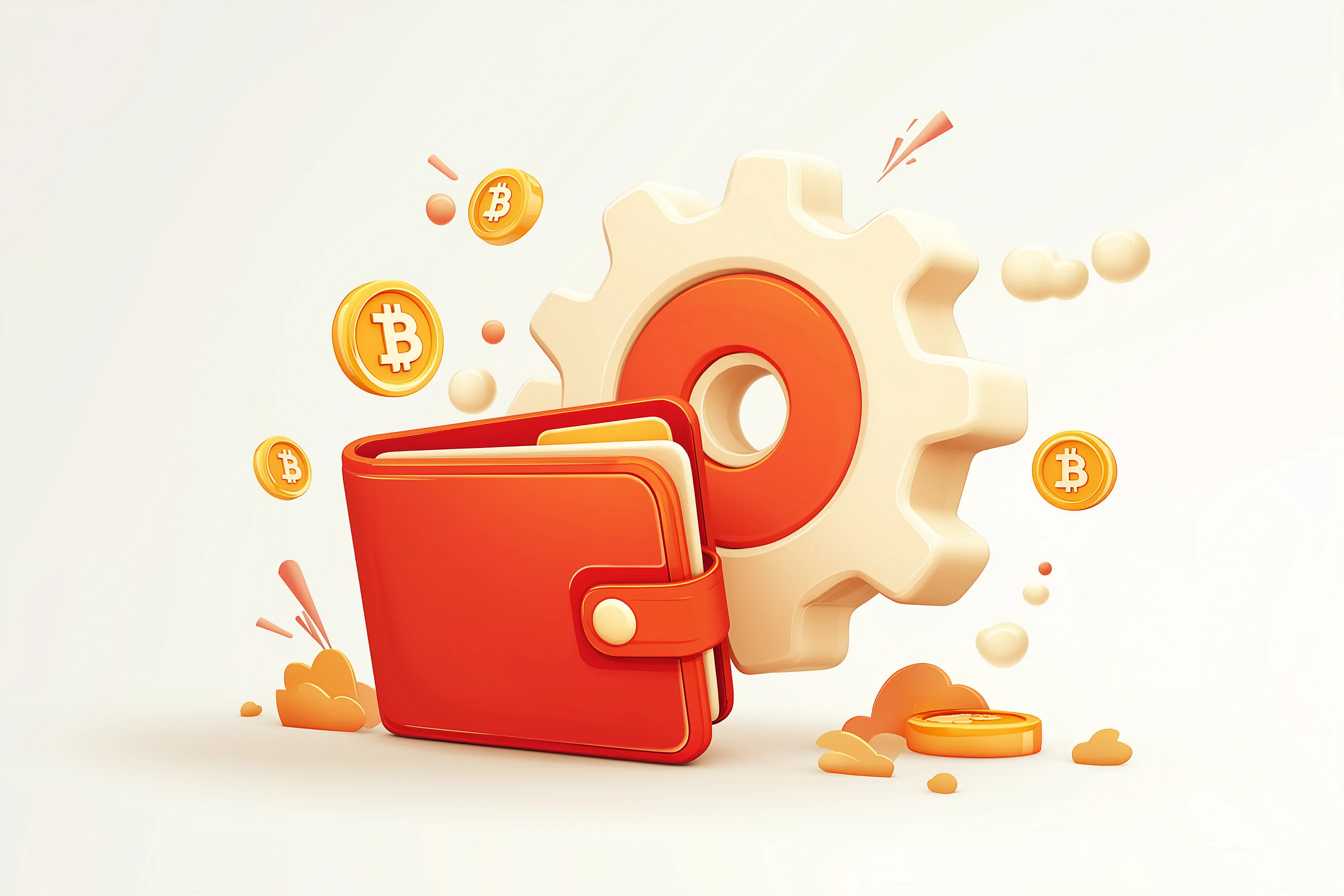
With over 200 million crypto wallet addresses in use worldwide, choosing and setting up the right bitcoin wallet has never been more critical for protecting your digital assets. Whether you’re buying your first bitcoin or looking to ensure maximum security for large amounts, the setup process you choose will determine both your security and user experience for years to come.
A bitcoin wallet doesn’t actually store your crypto assets—instead, it manages the private keys that give only you complete control over your funds on the Bitcoin blockchain. This fundamental difference makes proper wallet setup crucial for anyone serious about their crypto journey.
In this comprehensive guide, you’ll learn how to set up software wallets for daily use, configure hardware wallets for long term storage, and implement the advanced security practices that protect millions in digital assets. We’ll cover everything from five-minute mobile setups to enterprise-grade security configurations.
Quick Setup Overview
The fastest path to start transacting depends on your security needs and technical comfort level. Here’s what you can accomplish in different timeframes:
5-minute software wallet setup: Download a reputable wallet app like Electrum or Exodus, create your account, backup your 12-24 word recovery phrase, and generate your first Bitcoin address. This gives you immediate access to send and receive bitcoin through an internet connection.
15-30 minute hardware wallet setup: Purchase a Ledger Nano S Plus ($79) or Trezor Model T ($219), install the companion software, update firmware, and securely backup your recovery phrase. Hardware wallets provide maximum security for storing large amounts of bitcoin offline.
Offline paper wallet generation: Use bitaddress.org on an air-gapped computer to generate keys, print them securely, and store them in multiple secure locations. This method offers complete protection from online threats but requires advanced technical knowledge.
Most wallets will prompt you to backup your seed phrase immediately during setup—never skip this step. Your recovery phrase is the only way to regain access if you lose your device, and there’s no customer service to help recover lost funds.
Types of Bitcoin Wallets
Understanding the fundamental differences between wallet types helps you choose the right balance of security, convenience, and control for your needs.
Wallet Type | Cost | Security Level | Best For | Setup Time |
Software (Hot) | Free | Medium | Daily transactions, beginners | 5 minutes |
Hardware (Cold) | $50-$200 | High | Large holdings, long-term storage | 15-30 minutes |
Paper (Cold) | Free | High | Archival storage, inheritance | 30+ minutes |
Custodial | Free | Variable | Trading, convenience | 2 minutes |
The key distinction lies between custodial wallets, where a third party controls your private keys, and non custodial wallets, where only you have access to your funds. Most experienced users prefer self custodial solutions despite the additional responsibility.
Software Wallets (Hot Wallets)
Software wallets run as applications on your mobile device or computer, keeping your private keys locally while maintaining an internet connection for processing transactions. Popular options include Electrum (operating since 2011), Exodus (launched 2015), and BlueWallet for mobile users.
These crypto wallets free you from relying on exchanges while providing user friendliness for daily bitcoin transactions. The wallet interface typically shows your balance, transaction history, and options to send and receive btc through QR codes or address copying.
The main trade-off is security—any device connected to the internet faces potential threats from malicious actors, malware, and phishing attempts. However, modern software wallets include features like password protection, biometric security, and hierarchical deterministic address generation to minimize risks.
Hardware Wallets (Cold Storage)
Physical devices designed specifically for cryptocurrency storage keep your private key completely offline, even when connected to a computer for transactions. Leading hardware wallet manufacturers include Ledger (Nano S Plus at $79) and Trezor (Model T at $219), with over 4 million devices sold by major brands through the mid-2020s.
These wallets ensure maximum security by requiring physical confirmation for every transaction. Your private keys never leave the secure element chip, protecting against both digital and physical attacks. The setup process involves connecting the hardware device to your computer via USB, installing companion software, and backing up a 24-word recovery phrase.
For users with large amounts of bitcoin or those prioritizing long term storage, hardware wallets represent the gold standard for security. The initial investment pays for itself through peace of mind and protection against the multi-million-dollar exchange hacks that regularly make headlines.
Paper Wallets
A paper wallet consists of your private key and corresponding bitcoin address printed or written on physical paper, generated through completely offline processes. This method provides immunity from all digital threats—malware, hacking, and server failures cannot affect paper wallet keys stored offline.
Creating secure paper wallets requires using tools like bitaddress.org on an air-gapped computer (never connected to the internet), printing the keys, and storing the physical documents in secure locations like bank safety deposit boxes or fireproof safes.
The challenge lies in actually spending bitcoin from paper wallets, which requires importing the paper wallet key into a software wallet, potentially exposing it to online threats. For this reason, paper wallets work best for long-term archival storage rather than regular transactions.
Setting Up a Software Bitcoin Wallet
Software wallet setup prioritizes speed and accessibility while maintaining reasonable security for daily use amounts. The process typically involves downloading the wallet app, creating your new wallet, backing up your recovery phrase, and generating your first receive address.
Always download wallet apps directly from official sources to avoid malicious versions. Verify the developer’s website URL carefully, check app store ratings and reviews, and confirm the software’s good track record in the cryptocurrency community.
Electrum Wallet Setup (Desktop)
Electrum remains one of the most trusted bitcoin wallets, operating continuously since 2011 with a strong focus on security and user control.
Step 1: Download and Verify Visit electrum.org (not .com) and download the installer for your operating system. For enhanced security, verify the GPG signature provided on the download page, though most users can skip this technical step.
Step 2: Installation and Setup Run the installer and launch Electrum. The setup wizard will prompt you to create a new wallet—choose “Standard wallet” and “Create a new seed” for first-time users.
Step 3: Backup Your Seed Phrase Electrum will display a 12-word seed phrase. Write these words exactly as shown on paper and store in a secure location—never save them digitally or share with other users. Confirm you’ve written them correctly when prompted.

Step 4: Set Password and Generate Address Create a strong password to encrypt local access to your wallet. Once setup completes, navigate to the “Receive” tab to see your first bitcoin address for receiving funds.
Step 5: Test and Verify Send a small test amount (like $5 worth of bitcoin) to verify everything works correctly before transferring larger amounts.
Mobile Wallet Setup (iOS/Android)
Mobile wallets offer the convenience of managing bitcoin from your mobile phone while maintaining control of your private keys.
BlueWallet Setup (Recommended)
Download BlueWallet from the official App Store (iOS) or Google Play Store (Android). This wallet app supports both basic bitcoin storage and advanced features like Lightning Network payments.
During setup, BlueWallet generates a 12-word recovery phrase. Back this up immediately by writing it on paper—losing your mobile device without this backup means permanent loss of funds.
Enable biometric authentication (Face ID, fingerprint) for convenient access while maintaining security. The wallet will generate new bitcoin addresses automatically to protect your privacy across transactions.
Exodus Mobile Setup
Exodus offers a user-friendly interface popular with beginners, supporting bitcoin alongside other digital assets. The setup process mirrors other mobile wallets—download from official app stores, create your wallet, backup the recovery phrase, and enable device security features.
Test the wallet’s functionality by receiving a small amount first. Most wallets allow you to manage multiple bitcoin addresses from the same app, improving privacy by using different addresses for different transactions.
Setting Up a Hardware Bitcoin Wallet
Hardware wallets require more initial setup time but provide institutional-grade security for serious bitcoin holdings. The process involves configuring the physical device, installing companion software, and establishing secure backup procedures.
Before starting, ensure you’re purchasing from official manufacturers or authorized retailers to avoid tampered devices. Both Ledger and Trezor ship with tamper-evident seals and verification procedures.
Ledger Nano S Plus Setup
The Ledger Nano S Plus supports bitcoin storage with enhanced security features and costs approximately $79 from official retailers.
Step 1: Unboxing and Initial Setup Connect your Ledger device to your computer using the provided USB-C cable. The device should display the Ledger logo and prompt you to set up as a new device.
Step 2: Install Ledger Live Download Ledger Live software from ledger.com—never use third-party sources. Install the application and follow prompts to check for firmware updates on your device.
Step 3: Generate Recovery Phrase The Ledger will generate a 24-word recovery phrase displayed on its screen. Write each word on the provided recovery sheet in the exact order shown. This recovery options process is your only backup if the device fails or gets lost.
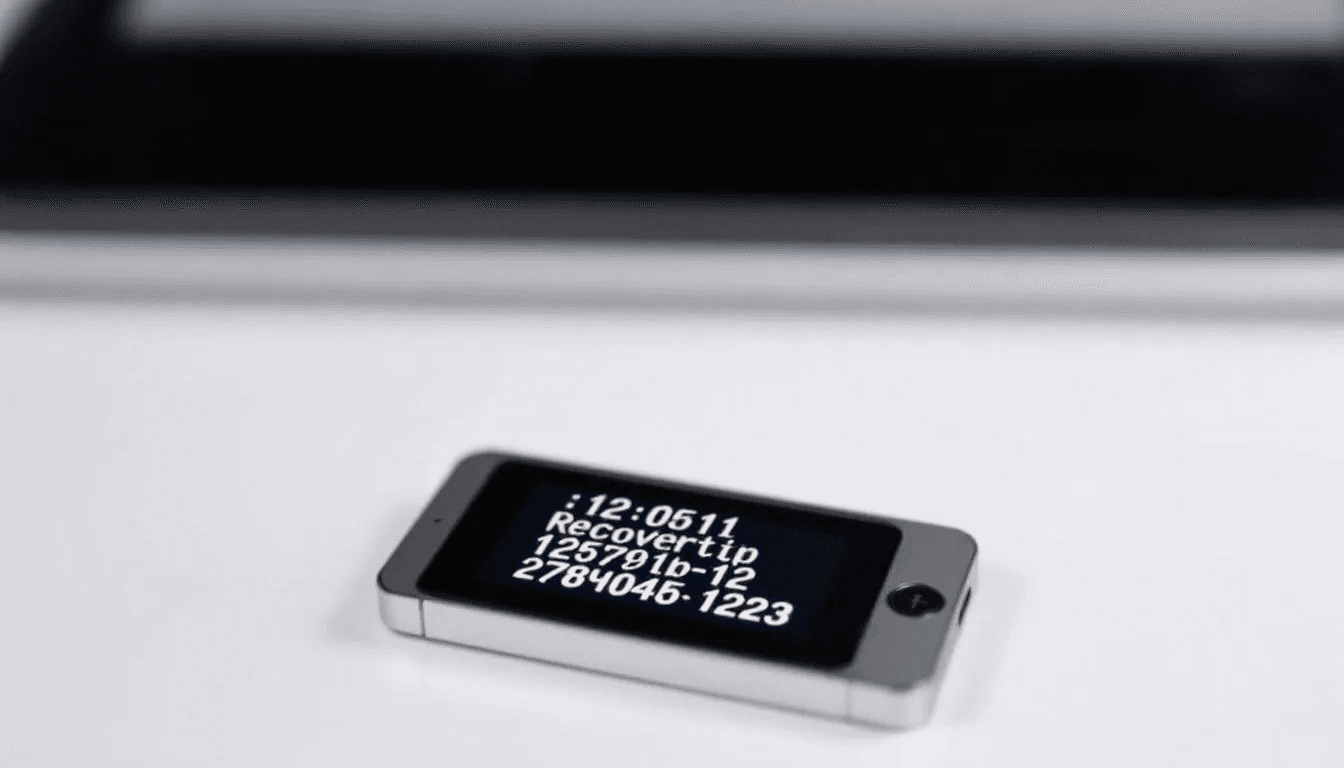
Store your recovery sheet in a secure location separate from the device—bank safety deposit boxes work well for this purpose. Never photograph or digitally store this recovery phrase.
Step 4: Install Bitcoin App Open Ledger Live, navigate to “Manager,” and install the Bitcoin app on your device. This enables the hardware to process Bitcoin transactions while keeping your private keys secured on-device.
Step 5: Create Account and Test Add a Bitcoin account through Ledger Live. The software will generate your first receive address. Test functionality with a small transaction before committing large amounts to ensure maximum security.
Trezor Model T Setup
The Trezor Model T offers a touchscreen interface and costs around $219, representing the premium tier of consumer hardware wallets.
Step 1: Device Initialization Connect your Trezor to your computer and visit trezor.io/start. The browser-based setup will guide you through device initialization and firmware verification.
Step 2: Install Trezor Suite Download Trezor Suite software, which provides full control over your bitcoin wallet while interfacing with the hardware device. The software automatically detects and connects to your Trezor.
Step 3: Create New Wallet Select “Create new wallet” and follow the device prompts to generate a 12-word backup seed. Write this seed phrase on paper immediately—it’s your only recovery method if the device is lost or damaged.
Step 4: Set PIN and Optional Passphrase Configure a PIN on the device for access control. Advanced users can enable an additional passphrase feature, which creates effectively unlimited hidden wallets on the same device.
Step 5: Account Setup and Testing Trezor Suite will create your bitcoin account and display receive addresses. Test the setup with small amounts before trusting the wallet with significant funds.
Creating a Paper Wallet (Advanced Users)
Paper wallets offer maximum security through complete offline storage but require technical expertise to generate and use safely. This method suits long-term storage where you won’t need regular access to funds.
The process requires an air-gapped computer (never connected to the internet) to eliminate any possibility of key theft during generation. Most users should consider hardware wallets instead unless they have specific security requirements.
Step 1: Prepare Offline Environment Use a computer that has never been connected to the internet, or boot from a live Linux USB drive that will leave no traces. Download the paper wallet generator (like bitaddress.org) on a separate internet-connected computer and transfer it via USB.
Step 2: Generate Keys Offline Run the wallet generator completely offline. The software will create a random private key and corresponding bitcoin address through cryptographic processes. This ensures no network communication can compromise your keys.
Step 3: Print and Store Securely Print multiple copies of your wallet on quality paper, ideally with a laser printer that won’t fade over time. Store copies in geographically separate secure locations—consider fireproof safes or bank safety deposit boxes.
Step 4: Test with Small Amounts Send a small amount to your paper wallet’s address to verify it works correctly. Check that the transaction appears on the blockchain before trusting the address with larger amounts.
Using Paper Wallet Funds To spend bitcoin from a paper wallet, you must import or sweep the private key into a software wallet, which exposes it to potential online threats. Plan to transfer all funds at once since the private key becomes less secure after any online exposure.
Security Best Practices
Proper security practices protect your bitcoin investments from the various threats facing crypto wallets today. These practices become especially critical as your holdings grow in value.
Recovery Phrase Storage Your seed phrase represents complete access to your wallet, making its security paramount. Write the phrase on paper using permanent ink, and store copies in multiple secure, physically separate locations.
Bank safety deposit boxes provide excellent security for recovery phrases, as do fireproof home safes rated for paper documents. Never store recovery phrases digitally—no cloud storage, photos, or password managers should ever contain your seed words.
Consider metal backup solutions for long-term storage. Products like Cryptosteel or custom metal stamping provide protection against fire, water, and physical deterioration that could affect paper storage.
Device and Access Security Keep your wallet software and operating system updated to protect against newly discovered vulnerabilities. Enable automatic security updates when available.
For software wallets, use strong, unique passwords and enable two factor authentication where supported. However, remember that true self-custody wallets controlled by your private keys cannot recover lost passwords—write them down separately from your seed phrase.
Testing and Verification Before storing significant amounts in any new bitcoin wallet, test its functionality with small transactions. Verify you can send, receive, and recover the wallet using your backup phrase.
Practice the recovery process periodically to ensure you remember the procedure and that your backups work correctly. Many users discover backup failures only when they urgently need to recover their wallet.
Operational Security Never share your private keys, seed phrases, or wallet passwords with anyone. Legitimate support services will never ask for this information.
Be cautious when accessing wallets on public networks or shared computers. Consider using a VPN when managing significant bitcoin holdings to protect against network surveillance.
Understanding Bitcoin Addresses and Keys
Bitcoin uses public key cryptography to secure transactions, with your wallet managing multiple layers of keys and addresses behind a user-friendly wallet interface.
Private vs Public Keys Your private key functions like a master password, providing complete control over bitcoin associated with corresponding addresses. The public key derives mathematically from the private key and generates the bitcoin addresses where others can send you funds.
The critical security principle: anyone with access to your private key controls your bitcoin permanently. Public keys and addresses can be shared freely—they’re designed for public distribution.
Address Formats Modern bitcoin wallets support multiple address formats:
Legacy addresses (1…): Original Bitcoin format, universally compatible but higher transaction fees
SegWit addresses (3…): Segregated Witness format offering reduced fees and faster confirmation
Native SegWit (bc1…): Latest format with lowest fees and best efficiency
Most wallets generate Native SegWit addresses by default while maintaining compatibility with all formats for receiving funds.
Hierarchical Deterministic (HD) Wallets Modern wallets use HD technology to generate unlimited addresses from your single seed phrase. This provides privacy benefits—each transaction can use a unique address—while maintaining simple backup procedures.
The wallet interface typically shows your current receive address while tracking all previous addresses automatically. You maintain full control over bitcoin sent to any address your wallet has generated.
Common Setup Issues and Solutions
Even straightforward wallet setups can encounter technical issues. Here are the most common problems and their solutions:
Wallet Not Syncing Software wallets need to sync with the Bitcoin blockchain to display accurate balances and process transactions. If syncing stalls:
Check your internet connection stability
Verify your firewall isn’t blocking the wallet app
Try switching to different blockchain servers in wallet settings
For Electrum, try manually selecting servers in the network settings
Hardware Wallet Not Recognized Connection issues between hardware wallets and computers often stem from:
USB cable problems—try different cables and ports
Missing device drivers (particularly on older Windows versions)
Antivirus software blocking device communication
Need to update companion software (Ledger Live, Trezor Suite)
Lost Recovery Phrase There is no recovery option if you lose your seed phrase and cannot access your wallet. This emphasizes the critical importance of secure backup procedures during initial setup.
For active wallets, immediately transfer funds to a new wallet with properly backed-up recovery phrases. Multiple geographically separated backup copies prevent this scenario.
Wrong Address Format Sending bitcoin to incompatible address formats can delay transactions or require higher fees. Modern wallets handle this automatically, but older systems might show errors.
When troubleshooting, verify the receiving address format matches your wallet’s capabilities. Most contemporary wallets accept all standard bitcoin address types.
Transaction Stuck or Slow Bitcoin transactions can appear stuck during high network congestion. Solutions include:
Check current network fee rates and compare to your transaction fee
Some wallets offer fee bumping options (Replace-by-Fee or Child-Pays-for-Parent)
Wait for network congestion to decrease—transactions rarely fail permanently
For future transactions, use dynamic fee estimation in wallet settings
Wallet Setup Costs and Considerations
Understanding the total cost of wallet ownership helps you choose the right option for your budget and security requirements.
Software Wallets Most wallets are free to download and use, with costs limited to bitcoin network transaction fees. These fees typically range from 0.0001 to 0.001 BTC per transaction (roughly $1-10 at current bitcoin prices), varying with network congestion and transaction complexity.
Software wallets excel for users starting their crypto journey or managing smaller amounts for regular transactions. The zero upfront cost makes them accessible for experimenting with bitcoin.
Hardware Wallets Initial device costs range from $50-200 depending on features:
Ledger Nano S Plus: ~$79 (basic security features, small screen)
Trezor Model T: ~$219 (touchscreen, advanced features)
Premium models: $300+ (additional security features, larger screens)
Factor in shipping costs and consider purchasing backup devices for redundancy. The investment becomes cost-effective once your bitcoin holdings exceed the device price by 10-20x.
Paper Wallets Paper wallet generation costs nothing beyond printer ink and secure storage expenses. However, consider the hidden costs:
Secure storage solutions (fireproof safes, bank deposit boxes)
Time investment for secure setup procedures
Risk of user error during manual key handling
Limited usability for regular transactions
Transaction Fees Across Wallet Types All bitcoin transactions pay network fees regardless of wallet type. However, wallet implementation affects fee efficiency:
Hardware wallets often support advanced transaction types that reduce fees
Software wallets may offer manual fee control for cost optimization
Paper wallets require importing to other wallets, potentially increasing total fees
The key insight: wallet type doesn’t significantly affect ongoing transaction costs, making security and usability the primary selection criteria.
Conclusion
Setting up a bitcoin wallet correctly forms the foundation of secure cryptocurrency ownership. Whether you choose a software wallet for daily transactions, a hardware wallet for maximum security, or even a paper wallet for long-term storage, the setup process determines your future security and user experience.
The most critical step across all wallet types remains securely backing up your recovery phrase. This single backup enables wallet recovery while representing your only protection against device loss or failure. Store these backups in multiple secure locations and never share them with other users.
Start with small amounts to test your chosen wallet’s functionality before committing significant funds. Practice sending, receiving, and wallet recovery procedures until you’re comfortable with the process. Remember—in the world of bitcoin, only you control your private keys, and with that control comes complete responsibility for your digital assets.
Your crypto journey begins with proper wallet setup, but it continues with ongoing security education and responsible key management. Take time to understand these fundamentals now, and you’ll have the knowledge to securely manage bitcoin regardless of how the cryptocurrency landscape evolves.