" height="31.469717497114758px" id="eCOXNpv5s" transform="translate(0 8.53)" width="32.43161611406683px"/><path d="M 6.851 1.35 C 6.851 4.361 4.335 6.803 1.23 6.803 L 0 6.803 L 0 5.452 C 0 2.442 2.515 0 5.62 0 L 6.85 0 L 6.85 1.35 Z" fill="rgb(255, 87, 20)" height="6.8031511867128245px" id="yGyYVDzJf" transform="translate(16.216 0)" width="6.851178904096614px"/><path d="M 59.255 11.828 C 59.12 11.828 59.053 11.758 59.053 11.615 L 59.053 0.426 C 59.053 0.285 59.12 0.214 59.255 0.214 L 66.26 0.214 C 66.394 0.214 66.46 0.284 66.46 0.427 L 66.46 1.881 C 66.46 2.022 66.394 2.093 66.26 2.093 L 61.248 2.093 L 61.248 5.054 L 65.821 5.054 C 65.955 5.054 66.022 5.125 66.022 5.268 L 66.022 6.633 C 66.022 6.774 65.955 6.845 65.821 6.845 L 61.248 6.845 L 61.248 9.948 L 66.26 9.948 C 66.394 9.948 66.46 10.019 66.46 10.161 L 66.46 11.616 C 66.46 11.757 66.394 11.828 66.26 11.828 Z M 51.202 12.04 C 50.313 12.04 49.532 11.874 48.861 11.544 C 48.203 11.213 47.662 10.694 47.307 10.054 C 46.942 9.403 46.758 8.606 46.758 7.66 L 46.758 4.38 C 46.758 2.962 47.184 1.88 48.038 1.135 C 48.904 0.378 50.087 0 51.587 0 C 52.661 0 53.563 0.166 54.294 0.497 C 55.037 0.828 55.581 1.289 55.922 1.88 C 56.276 2.459 56.398 3.127 56.287 3.884 C 56.276 4.024 56.202 4.097 56.068 4.097 L 54.295 4.078 C 54.148 4.078 54.081 4.008 54.092 3.866 C 54.117 3.44 54.038 3.079 53.855 2.784 C 53.684 2.477 53.416 2.246 53.05 2.092 C 52.685 1.939 52.215 1.862 51.641 1.862 C 50.751 1.862 50.08 2.074 49.629 2.5 C 49.178 2.914 48.953 3.559 48.953 4.433 L 48.953 7.607 C 48.953 8.494 49.172 9.143 49.612 9.558 C 50.062 9.971 50.727 10.178 51.605 10.178 C 52.459 10.178 53.111 9.989 53.562 9.611 C 54.014 9.22 54.239 8.659 54.239 7.926 L 54.239 7.359 L 51.77 7.359 C 51.623 7.359 51.55 7.288 51.55 7.146 L 51.55 5.958 C 51.55 5.828 51.623 5.762 51.77 5.762 L 56.123 5.762 C 56.257 5.762 56.325 5.828 56.325 5.958 L 56.325 9.22 C 56.325 9.622 56.331 10.031 56.343 10.444 C 56.367 10.858 56.41 11.242 56.471 11.597 C 56.495 11.667 56.483 11.728 56.434 11.774 C 56.395 11.81 56.342 11.829 56.288 11.827 L 54.86 11.827 C 54.809 11.83 54.758 11.817 54.714 11.792 C 54.674 11.751 54.643 11.703 54.623 11.65 C 54.594 11.479 54.569 11.308 54.549 11.136 L 54.512 10.55 L 54.476 10.55 C 54.265 10.862 53.998 11.132 53.69 11.348 C 53.364 11.583 52.998 11.757 52.61 11.863 C 52.151 11.986 51.677 12.046 51.201 12.04 Z M 34.943 11.828 C 34.809 11.828 34.742 11.758 34.742 11.615 L 34.742 0.426 C 34.742 0.285 34.809 0.214 34.943 0.214 L 37.541 0.214 C 37.662 0.214 37.748 0.261 37.797 0.355 L 40.741 6.119 C 40.949 6.508 41.138 6.886 41.309 7.253 C 41.63 7.897 41.923 8.553 42.187 9.222 L 42.241 9.222 C 42.217 8.903 42.199 8.559 42.186 8.193 L 42.15 7.059 L 42.15 0.427 C 42.15 0.285 42.217 0.214 42.352 0.214 L 44.071 0.214 C 44.217 0.214 44.29 0.284 44.29 0.427 L 44.29 11.616 C 44.29 11.757 44.217 11.828 44.071 11.828 L 41.509 11.828 C 41.388 11.828 41.303 11.781 41.254 11.686 L 38.4 6.119 C 38.215 5.759 38.032 5.399 37.852 5.037 C 37.683 4.664 37.513 4.291 37.34 3.92 C 37.189 3.57 37.036 3.222 36.882 2.873 L 36.827 2.873 L 36.864 3.99 C 36.876 4.369 36.882 4.747 36.882 5.125 L 36.882 11.615 C 36.882 11.757 36.809 11.828 36.663 11.828 Z M 22.818 11.828 C 22.659 11.828 22.598 11.752 22.635 11.597 L 26.586 0.373 C 26.622 0.267 26.701 0.213 26.823 0.213 L 29.164 0.213 C 29.299 0.213 29.384 0.267 29.421 0.373 L 33.389 11.597 C 33.439 11.752 33.383 11.828 33.225 11.828 L 31.286 11.828 C 31.165 11.828 31.085 11.775 31.048 11.668 L 28.689 4.381 C 28.567 3.99 28.446 3.607 28.324 3.228 L 27.994 2.057 L 27.957 2.057 C 27.848 2.436 27.732 2.82 27.609 3.21 C 27.5 3.589 27.384 3.967 27.262 4.344 L 24.958 11.65 C 24.921 11.769 24.837 11.828 24.702 11.828 L 22.817 11.828 Z M 25.323 9.399 L 25.744 7.661 L 30.189 7.661 L 30.628 9.399 Z M 12.919 11.828 C 12.784 11.828 12.717 11.758 12.717 11.615 L 12.717 0.426 C 12.717 0.285 12.784 0.214 12.919 0.214 L 16.76 0.214 C 18.333 0.214 19.479 0.509 20.199 1.1 C 20.918 1.68 21.278 2.531 21.278 3.654 C 21.278 4.47 21.083 5.161 20.692 5.728 C 20.314 6.284 19.748 6.668 18.992 6.881 L 18.992 6.917 L 21.936 11.58 C 21.986 11.65 21.992 11.711 21.954 11.757 C 21.93 11.805 21.875 11.828 21.79 11.828 L 19.76 11.828 C 19.655 11.831 19.556 11.777 19.504 11.686 L 16.742 7.201 L 14.912 7.201 L 14.912 11.616 C 14.912 11.757 14.839 11.828 14.694 11.828 Z M 14.912 5.516 L 16.669 5.516 C 17.51 5.516 18.119 5.374 18.497 5.09 C 18.887 4.806 19.083 4.351 19.083 3.725 C 19.083 3.11 18.906 2.672 18.553 2.413 C 18.198 2.152 17.601 2.022 16.759 2.022 L 14.912 2.022 L 14.912 5.515 Z M 5.412 12.04 C 3.804 12.04 2.596 11.668 1.791 10.923 C 0.986 10.166 0.585 9.084 0.585 7.678 L 0.585 4.362 C 0.585 2.943 0.986 1.862 1.791 1.117 C 2.596 0.372 3.804 0 5.413 0 C 7.01 0 8.211 0.372 9.016 1.117 C 9.821 1.862 10.223 2.943 10.223 4.362 L 10.223 7.678 C 10.223 9.084 9.821 10.167 9.017 10.923 C 8.211 11.667 7.01 12.04 5.413 12.04 Z M 5.412 10.178 C 6.279 10.178 6.931 9.959 7.37 9.522 C 7.809 9.073 8.029 8.423 8.029 7.572 L 8.029 4.469 C 8.029 3.618 7.809 2.974 7.37 2.536 C 6.931 2.086 6.279 1.862 5.413 1.862 C 4.546 1.862 3.889 2.086 3.437 2.536 C 2.999 2.974 2.778 3.618 2.778 4.469 L 2.778 7.572 C 2.778 8.423 2.999 9.073 3.437 9.522 C 3.889 9.959 4.548 10.178 5.413 10.178 Z M 59.488 25.96 C 59.38 25.96 59.326 25.905 59.326 25.796 L 59.326 15.351 C 59.326 15.241 59.38 15.187 59.488 15.187 L 61.849 15.187 C 63.197 15.187 64.205 15.565 64.874 16.321 C 65.542 17.068 65.877 18.203 65.877 19.726 L 65.877 21.026 C 65.877 22.682 65.548 23.921 64.891 24.743 C 64.233 25.555 63.235 25.96 61.898 25.96 Z M 60.863 24.545 L 61.8 24.545 C 62.674 24.545 63.316 24.266 63.726 23.707 C 64.136 23.148 64.34 22.27 64.34 21.075 L 64.34 19.677 C 64.34 18.635 64.136 17.862 63.726 17.359 C 63.316 16.854 62.664 16.601 61.768 16.601 L 60.863 16.601 L 60.863 24.546 Z M 50.762 25.96 C 50.664 25.96 50.616 25.905 50.616 25.796 L 50.616 15.351 C 50.616 15.241 50.664 15.187 50.762 15.187 L 53.285 15.187 C 54.396 15.187 55.215 15.439 55.743 15.944 C 56.272 16.447 56.535 17.215 56.535 18.246 C 56.535 19.036 56.396 19.677 56.115 20.171 C 55.858 20.644 55.44 21.011 54.935 21.207 L 54.935 21.223 L 56.972 25.746 C 57.037 25.889 57 25.96 56.86 25.96 L 55.468 25.96 C 55.393 25.96 55.338 25.922 55.306 25.845 L 53.398 21.486 L 52.154 21.486 L 52.154 25.796 C 52.154 25.906 52.105 25.96 52.008 25.96 L 50.763 25.96 Z M 52.153 20.154 L 53.253 20.154 C 53.867 20.154 54.309 20.006 54.578 19.71 C 54.848 19.414 54.984 18.953 54.984 18.328 C 54.984 17.692 54.848 17.242 54.578 16.979 C 54.309 16.716 53.878 16.585 53.285 16.585 L 52.153 16.585 Z M 41.428 25.96 C 41.32 25.96 41.282 25.9 41.315 25.78 L 43.983 15.318 C 44.006 15.231 44.064 15.187 44.162 15.187 L 45.828 15.187 C 45.914 15.187 45.973 15.231 46.005 15.317 L 48.706 25.78 C 48.727 25.9 48.685 25.96 48.577 25.96 L 47.202 25.96 C 47.137 25.96 47.084 25.916 47.04 25.829 L 45.455 18.92 C 45.369 18.56 45.289 18.198 45.213 17.835 C 45.138 17.473 45.062 17.106 44.987 16.732 L 44.954 16.732 C 44.889 17.106 44.819 17.473 44.743 17.835 C 44.668 18.187 44.592 18.548 44.517 18.92 L 42.932 25.829 C 42.911 25.916 42.851 25.96 42.754 25.96 Z M 43.207 23.526 L 43.482 22.178 L 46.458 22.178 L 46.765 23.526 L 43.208 23.526 Z M 33.5 25.96 C 33.391 25.96 33.338 25.905 33.338 25.796 L 33.338 15.351 C 33.338 15.241 33.391 15.187 33.5 15.187 L 35.861 15.187 C 37.209 15.187 38.217 15.565 38.886 16.321 C 39.554 17.068 39.889 18.203 39.889 19.726 L 39.889 21.026 C 39.889 22.682 39.559 23.921 38.902 24.743 C 38.244 25.555 37.247 25.96 35.909 25.96 Z M 34.874 24.545 L 35.813 24.545 C 36.686 24.545 37.328 24.266 37.737 23.707 C 38.147 23.148 38.351 22.27 38.351 21.075 L 38.351 19.677 C 38.351 18.635 38.147 17.862 37.737 17.359 C 37.328 16.854 36.675 16.601 35.78 16.601 L 34.874 16.601 L 34.874 24.546 Z M 24.031 25.96 C 23.934 25.96 23.885 25.905 23.885 25.796 L 23.885 15.351 C 23.885 15.241 23.934 15.187 24.031 15.187 L 25.858 15.187 C 25.955 15.187 26.015 15.225 26.036 15.301 L 28.091 21.059 C 28.209 21.366 28.322 21.695 28.43 22.045 C 28.549 22.397 28.656 22.737 28.755 23.066 C 28.862 23.383 28.947 23.679 29.012 23.953 L 29.061 23.953 C 29.037 23.619 29.015 23.284 28.996 22.949 L 28.964 21.832 L 28.964 15.351 C 28.964 15.241 29.012 15.187 29.109 15.187 L 30.306 15.187 C 30.404 15.187 30.452 15.241 30.452 15.351 L 30.452 25.796 C 30.452 25.906 30.404 25.96 30.306 25.96 L 28.495 25.96 C 28.419 25.96 28.36 25.922 28.317 25.845 L 26.311 20.253 C 26.121 19.736 25.943 19.215 25.778 18.69 C 25.638 18.201 25.492 17.713 25.341 17.226 L 25.309 17.226 C 25.319 17.544 25.325 17.901 25.325 18.296 L 25.357 19.447 C 25.368 19.83 25.374 20.193 25.374 20.532 L 25.374 25.796 C 25.374 25.906 25.325 25.96 25.228 25.96 Z M 14.698 25.96 C 14.589 25.96 14.552 25.9 14.584 25.78 L 17.253 15.318 C 17.274 15.231 17.334 15.187 17.431 15.187 L 19.097 15.187 C 19.183 15.187 19.242 15.231 19.275 15.317 L 21.975 25.78 C 21.998 25.9 21.954 25.96 21.847 25.96 L 20.471 25.96 C 20.407 25.96 20.353 25.916 20.309 25.829 L 18.724 18.92 C 18.639 18.56 18.558 18.198 18.482 17.835 C 18.407 17.473 18.331 17.106 18.256 16.732 L 18.224 16.732 C 18.159 17.106 18.089 17.473 18.013 17.835 C 17.938 18.187 17.862 18.548 17.787 18.92 L 16.202 25.829 C 16.18 25.916 16.121 25.96 16.023 25.96 Z M 16.476 23.526 L 16.752 22.178 L 19.728 22.178 L 20.035 23.526 L 16.477 23.526 Z M 10.267 25.96 C 10.17 25.96 10.122 25.905 10.122 25.796 L 10.122 16.619 L 7.97 16.619 C 7.874 16.619 7.825 16.559 7.825 16.438 L 7.825 15.353 C 7.825 15.242 7.874 15.188 7.97 15.188 L 13.81 15.188 C 13.906 15.188 13.955 15.242 13.955 15.353 L 13.955 16.437 C 13.955 16.558 13.906 16.618 13.81 16.618 L 11.658 16.618 L 11.658 25.797 C 11.658 25.907 11.609 25.961 11.512 25.961 L 10.267 25.961 Z M 2.948 26.093 C 1.848 26.093 1.061 25.807 0.587 25.237 C 0.123 24.667 -0.066 23.91 0.02 22.967 C 0.03 22.814 0.085 22.737 0.182 22.737 L 1.378 22.737 C 1.487 22.737 1.54 22.814 1.54 22.968 C 1.498 23.548 1.6 23.987 1.848 24.282 C 2.107 24.568 2.495 24.711 3.013 24.711 C 3.52 24.711 3.892 24.595 4.128 24.365 C 4.366 24.135 4.485 23.773 4.485 23.28 C 4.485 23.027 4.452 22.802 4.387 22.605 C 4.32 22.403 4.209 22.218 4.063 22.062 C 3.897 21.877 3.7 21.721 3.481 21.602 L 1.751 20.566 C 1.169 20.204 0.743 19.803 0.473 19.365 C 0.215 18.915 0.09 18.367 0.101 17.72 C 0.111 16.854 0.355 16.195 0.829 15.746 C 1.314 15.285 2.015 15.055 2.932 15.055 C 3.946 15.055 4.706 15.324 5.212 15.861 C 5.729 16.387 5.945 17.134 5.859 18.099 C 5.838 18.263 5.784 18.345 5.697 18.345 L 4.469 18.345 C 4.361 18.345 4.317 18.263 4.34 18.098 C 4.383 17.582 4.281 17.183 4.033 16.898 C 3.796 16.602 3.44 16.453 2.965 16.453 C 2.545 16.453 2.222 16.558 1.995 16.766 C 1.769 16.963 1.655 17.27 1.655 17.687 C 1.645 18.071 1.72 18.389 1.881 18.64 C 2.043 18.882 2.313 19.112 2.69 19.333 L 4.372 20.351 C 4.782 20.592 5.105 20.851 5.343 21.124 C 5.59 21.388 5.769 21.695 5.876 22.046 C 5.985 22.385 6.038 22.797 6.038 23.28 C 6.038 24.168 5.79 24.858 5.294 25.352 C 4.798 25.846 4.016 26.092 2.949 26.092 Z" fill="rgb(23, 23, 23)" height="26.09262957451628px" id="G_jsIAzLG" transform="translate(40.54 11.039)" width="66.46047841033874px"/></g></svg>)
" height="31.469717497114758px" id="nxleYtm6x" transform="translate(1 8.53)" width="32.43161611406683px"/><path d="M 6.851 1.35 C 6.851 4.361 4.335 6.803 1.23 6.803 L 0 6.803 L 0 5.452 C 0 2.442 2.515 0 5.62 0 L 6.85 0 L 6.85 1.35 Z" fill="rgb(255, 87, 20)" height="6.8031511867128245px" id="ZZ56pTyUM" transform="translate(17.216 0)" width="6.851178904096614px"/></svg>)
Getting a lightning address is like getting an email address for Bitcoin payments on the Lightning Network. Instead of sharing complex QR codes or generating a new invoice for every transaction, you can simply share a human-readable address like username@domain.com to receive payments instantly.
In 2024, there are several ways to get your own lightning address, ranging from quick wallet app signups that take minutes to self-hosted solutions for advanced users. Whether you’re new to Bitcoin lightning or a developer looking to integrate lightning addresses into your service, this guide covers all the methods available today.
What you will learn
Four quick methods to get a lightning address instantly
Step-by-step setup guides for popular wallet apps
How to self-host using bridge servers for custom domains
Developer integration options and technical requirements
Security best practices for protecting your funds
Quick Methods to Get a Lightning Address
There are four main approaches to get a lightning address, each with different benefits depending on your technical expertise and requirements:
Sign up with Strike app to get a username@strike.me address instantly. This is the fastest method for beginners, requiring only phone verification to access your lightning address directly through the app.
Download Bridge Wallet mobile app for free lightning address creation without complex verification. Bridge Wallet provides a lightning enabled wallet with built-in address generation in minutes.
Use supported Bitcoin Lightning wallets that provide built-in lightning addresses. Many modern lightning wallets now support lightning addresses as a standard feature, making it easy to receive payments without managing separate services.
Self-host using bridge servers if you run your own lightning node. This plug n play solution gives you complete control over your lightning address protocol implementation while connecting to existing bridge server infrastructure.
Method | Setup Time | Control Level | Technical Requirements |
Strike App | 5 minutes | Low (custodial) | Phone verification |
Bridge Wallet | 10 minutes | Medium | App download, backup |
Other Wallets | 5-15 minutes | Varies | Wallet-specific |
Self-Hosted | 30+ minutes | High | Lightning node, domain |
Getting Lightning Address Through Wallet Apps
Most users should start with wallet apps that provide lightning addresses automatically. These services handle the technical complexity behind the scenes, letting you focus on receiving bitcoin payments rather than managing server infrastructure.
Popular wallet services that support lightning addresses include Strike, Bridge Wallet, and several other lightning wallets. Each service provides a different address format - Strike uses username@strike.me while other services may use their own domains.
The key advantage of wallet-based lightning addresses is simplicity. You can send money to someone using their lightning address just like you would send emails to an email address. The recipient’s wallet automatically generates invoices when payments are initiated, eliminating the need to scan QR codes or request new invoice generation manually.
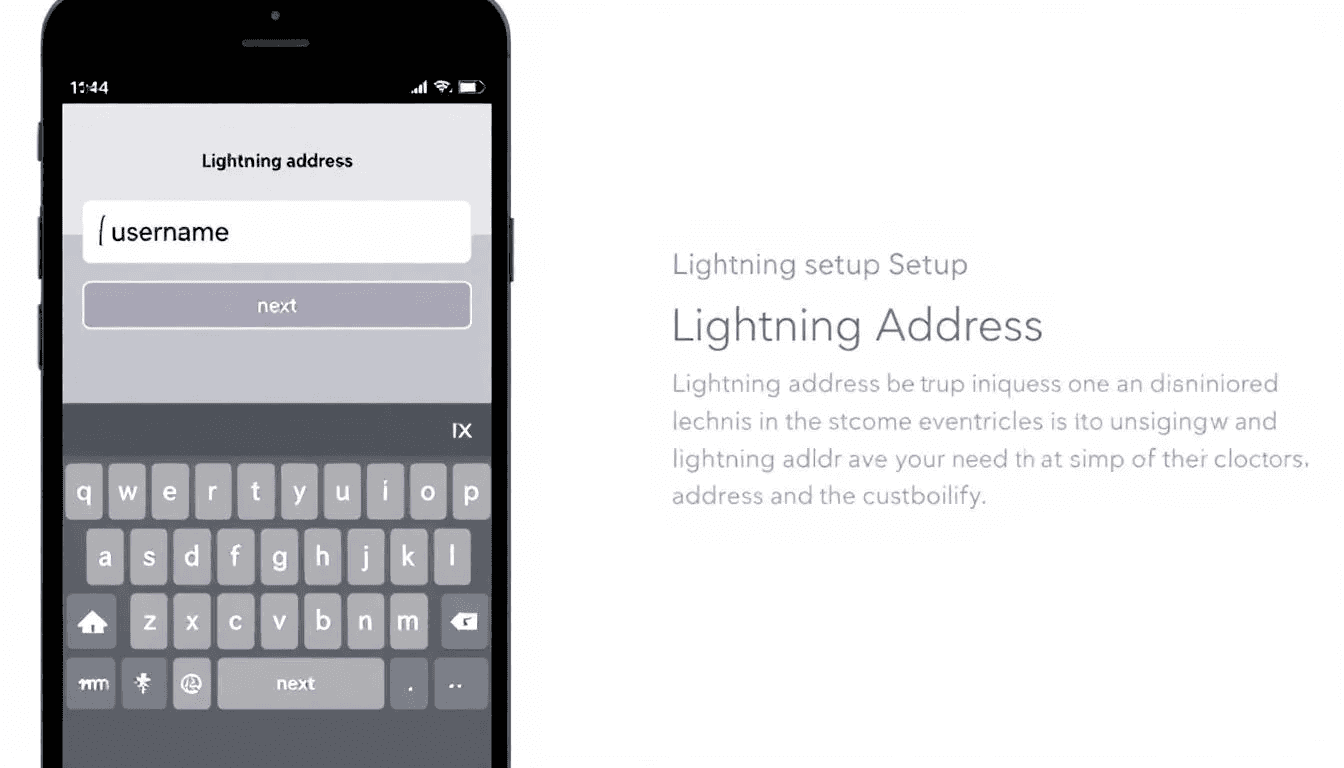
Step-by-Step Setup with Strike
Strike offers one of the simplest ways to get a lightning address with automatic setup during account registration.
Download Strike app from the App Store or Google Play Store. The app is free and available in most countries, though some regions may have restrictions.
Complete account registration with phone verification. Strike requires a phone number to verify your identity and secure your account. This process typically takes 2-3 minutes to complete.
Locate your lightning address in the Account screen. Once verified, Strike automatically assigns you a lightning address in the format yourname@strike.me. You can find this address by tapping your profile in the app.
Configure payment settings for cash or bitcoin reception. Strike lets you set whether incoming lightning payments convert to US dollars or remain as bitcoin in your balance. You can adjust these settings at any time.
Share your lightning address or use Strike tipping page at strike.me/username. Strike creates a public tipping page that others can use to send you bitcoin lightning payments, even if they don’t have the Strike app.
Step-by-Step Setup with Bridge Wallet
Bridge Wallet provides a non-custodial option for users who want more control over their funds while still getting an easy lightning address setup.
Download Bridge Wallet app via SMS link or app store. Bridge Wallet is available for both iOS and Android, with a simple download process that doesn’t require advance verification.
Create secure password for app access. Choose a strong password that you’ll remember, as this protects access to your bitcoin wallet and lightning address functionality.
Select “Create a new wallet” option during the initial setup. This generates a new bitcoin wallet with lightning network support and your own lightning address.
Backup your secret phrase securely with the provided 12-24 word recovery phrase. Write this down and store it somewhere safe - losing this phrase means losing access to your funds permanently.
Complete secret phrase verification by entering the words in the correct order. Bridge Wallet will ask you to confirm specific words from your backup phrase to ensure you’ve recorded it properly.
Switch to Lightning network view to see your new lightning address. Once setup is complete, you can access your lightning address through the app’s lightning section and start receiving bitcoin transactions immediately.
Self-Hosting Your Lightning Address
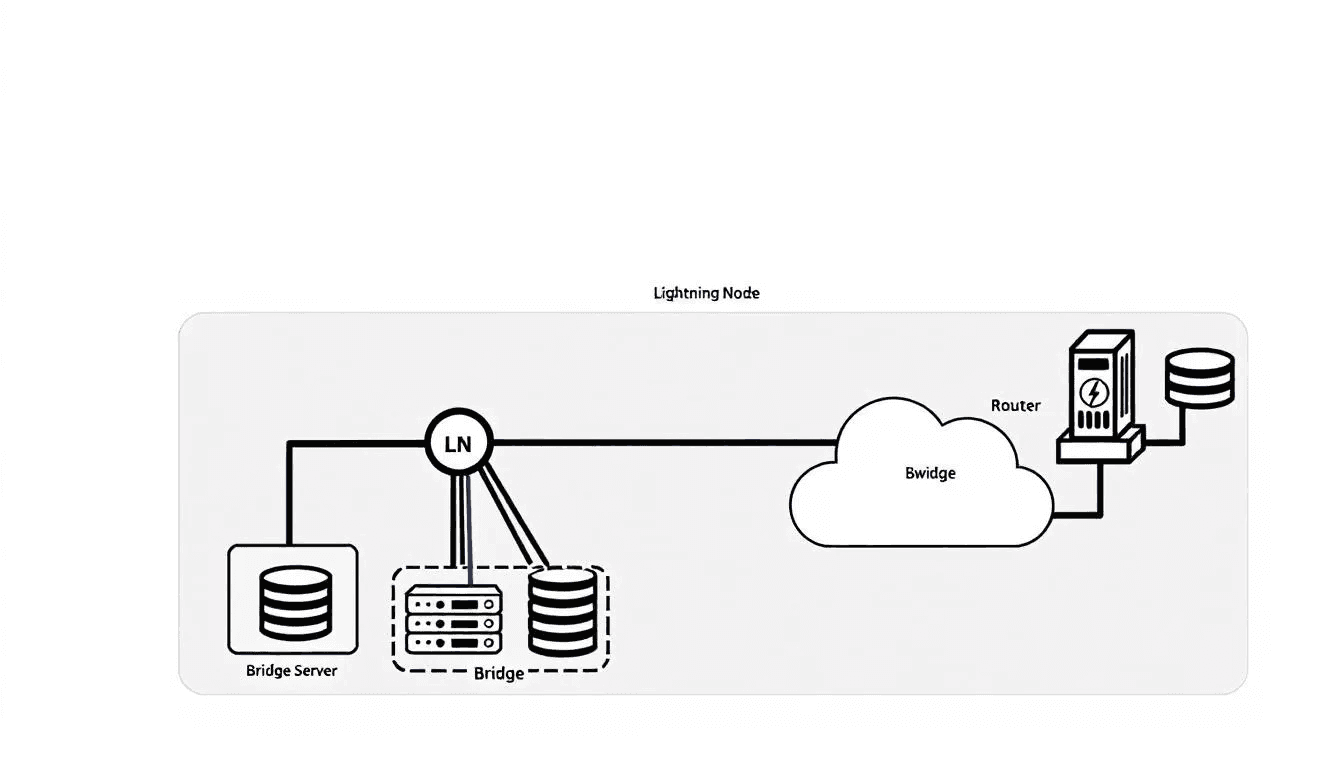
Advanced users who run their own lightning node can create custom lightning addresses using bridge servers - specialized services that connect your node to the lightning address protocol without requiring you to build the entire system from scratch.
Bridge servers act as intermediaries that handle the web-based portion of lightning addresses while your lightning node manages the actual bitcoin payments. This approach gives you full control over your funds while leveraging existing infrastructure for the address protocol.
Requirements for self-hosting include a running lightning node, a custom domain name, and access to a bridge server service. Most bridge servers support popular lightning implementations and can connect within minutes of configuration.
Using bridge servers provides a plug-and-play solution that typically requires only basic configuration. Community-supported bridge servers handle the technical complexity while you maintain control of your lightning node and domain.
Configuration process takes minutes with established bridge server options. Once you connect your node and domain, the bridge server automatically generates invoices when someone sends payments to your lightning address.
Benefits of self-hosting include complete control over your bitcoin, custom domain usage (yourname@yourdomain.com), enhanced privacy, and independence from third-party wallet providers.
Bridge Server Setup Process
Setting up a bridge server connection involves configuring your existing lightning node to work with the lightning address protocol through a specialized service.
Connect your existing lightning node to the bridge server service by providing node access credentials. Most bridge servers support standard lightning node APIs and can connect to your node securely.
Configure your custom domain to point to the bridge server infrastructure. This involves setting DNS records that tell the lightning address protocol where to find your payment endpoint, typically in the format yourname@yourdomain.com.
Test payment reception and invoice generation by sending a small test payment to your new lightning address. This confirms that the bridge server can successfully communicate with your lightning node and generate invoices.
Monitor bridge server connection and uptime to ensure reliable payment reception. Most bridge servers provide status pages or monitoring tools to help you verify that your lightning address remains functional.
Developer Integration Options
Developers building apps or services can integrate lightning address support using established protocol standards, enabling users to send and receive bitcoin payments through human-readable addresses.
The lightning address protocol builds on LNURL Pay protocol standards, which provide a web-based interface for lightning payments. This approach lets developers integrate lightning addresses without running their own lightning nodes or managing complex lightning network infrastructure.
Lightning address protocol integration typically requires implementing a web endpoint that responds to payment requests and generates lightning invoices. The protocol uses standard HTTP requests to communicate between wallets and payment services.
DIY implementation using LNURL Pay gives developers complete control over the lightning address experience. Available code repositories and documentation resources make it possible to build custom implementations tailored to specific application requirements.
Available code repositories include open-source implementations in multiple programming languages. Many developers can complete basic integration in hours to days, depending on existing lightning network experience and application complexity.
Integration timeframe varies based on developer experience and application requirements. Simple integrations can be completed quickly, while custom implementations with additional features may require more extensive development time.
Testing and validation procedures help ensure that lightning address implementations work correctly with various wallet apps and services. Most protocol implementations include testing tools for validating payment flows and invoice generation.
Choosing the Right Lightning Address Method
The best method to get a lightning address depends on your technical expertise, privacy requirements, and how you plan to use bitcoin lightning payments.
Beginner users should start with wallet apps like Strike or Bridge Wallet for instant setup. These services provide working lightning addresses within minutes and handle all technical complexity automatically. Strike offers the simplest experience with phone verification, while Bridge Wallet provides more control over your funds.
Advanced users interested in custom domains and full control should consider self-hosting with bridge servers. This approach requires running a lightning node and configuring DNS settings, but provides complete independence from third-party services.
Businesses evaluating lightning address options should consider developer integration for custom applications or enterprise-grade services for high-volume payment processing. Many business applications benefit from custom implementations that integrate with existing systems.
Privacy considerations vary significantly between custodial and non-custodial options. Custodial services like Strike provide convenience but require trusting the provider with your funds. Non-custodial options like Bridge Wallet or self-hosting give you direct control but require more technical knowledge.
Cost comparison shows that free wallet services provide lightning addresses at no cost, while self-hosting expenses include domain registration, server hosting, and lightning node operation. For most users, free wallet options provide the best value, while advanced users may prefer paying for increased control and privacy.
Using Your Lightning Address
Once you have a lightning address, you can share it anywhere you would share an email address to receive bitcoin payments from lightning wallets worldwide.
Sharing your lightning address works best on social media profiles, email signatures, business cards, and websites. The human-readable format makes it easy for people to remember and type, unlike complex QR codes or long lightning invoices.
Receiving payments happens automatically when someone sends bitcoin to your lightning address. The sending wallet connects to your address, requests an invoice, and processes the payment - all without requiring any action from you.
Setting up payment limits and notification preferences helps you manage incoming payments effectively. Many wallet apps let you set maximum payment amounts and configure alerts for received payments.
QR code generation makes it easy for others to scan and pay your lightning address using their phone cameras. Most wallets that support lightning addresses can generate QR codes automatically.
Integration with tipping pages and payment links extends your lightning address functionality beyond direct wallet-to-wallet payments. Services like Strike provide public tipping pages that accept payments from any lightning wallet.
Security Best Practices
Protecting your lightning address and associated funds requires following established security practices, especially for non-custodial wallets where you control your own bitcoin.
Backup your wallet secret phrase in multiple secure locations using physical storage methods. Digital backups can be lost or compromised, while properly stored physical backups remain accessible even if your device fails.
Use strong passwords for wallet app access and never share your login credentials. Enable biometric authentication when available to add an extra layer of security without reducing convenience.
Monitor incoming payments and set appropriate payment limits to prevent unexpected large transactions. Many wallets let you configure maximum amounts and require additional verification for larger payments.
Understand custodial vs non-custodial wallet trade-offs before choosing your lightning address method. Custodial services manage security for you but control your funds, while non-custodial options give you control but require you to manage security properly.
Regular security updates and wallet app maintenance help protect against newly discovered vulnerabilities. Keep your wallet apps updated and review security settings periodically to maintain protection.
Consider using different lightning addresses for different purposes - a public address for tips and donations, and a private address for larger or more sensitive transactions. This approach helps maintain privacy while providing payment flexibility.
Key Takeaways
Lightning addresses simplify bitcoin payments by working like email addresses rather than requiring QR code scanning or invoice generation
Wallet apps like Strike and Bridge Wallet provide the fastest setup for beginners, with working lightning addresses available in minutes
Self-hosting with bridge servers gives advanced users complete control while leveraging existing infrastructure
Developer integration options support custom applications using standard LNURL Pay protocol implementations
Security practices vary significantly between custodial and non-custodial options, with non-custodial requiring more user responsibility
Conclusion
Getting a lightning address has never been easier, with multiple options available for users at every technical level. Whether you choose a simple wallet app for instant setup or self-host for maximum control, lightning addresses make bitcoin payments as simple as sending an email.
Start with the method that matches your current needs - beginners should try Strike or Bridge Wallet for immediate access, while advanced users can explore self-hosting options for custom domains and enhanced privacy. As the lightning network continues growing, having a lightning address positions you to participate in the future of instant, low-fee bitcoin transactions.
The lightning address protocol represents a significant step forward in making bitcoin payments more user-friendly. By abstracting away technical complexity while maintaining the security and decentralization that makes Bitcoin valuable, lightning addresses bring digital payments closer to mainstream adoption.