" height="31.469717497114758px" id="eCOXNpv5s" transform="translate(0 8.53)" width="32.43161611406683px"/><path d="M 6.851 1.35 C 6.851 4.361 4.335 6.803 1.23 6.803 L 0 6.803 L 0 5.452 C 0 2.442 2.515 0 5.62 0 L 6.85 0 L 6.85 1.35 Z" fill="rgb(255, 87, 20)" height="6.8031511867128245px" id="yGyYVDzJf" transform="translate(16.216 0)" width="6.851178904096614px"/><path d="M 59.255 11.828 C 59.12 11.828 59.053 11.758 59.053 11.615 L 59.053 0.426 C 59.053 0.285 59.12 0.214 59.255 0.214 L 66.26 0.214 C 66.394 0.214 66.46 0.284 66.46 0.427 L 66.46 1.881 C 66.46 2.022 66.394 2.093 66.26 2.093 L 61.248 2.093 L 61.248 5.054 L 65.821 5.054 C 65.955 5.054 66.022 5.125 66.022 5.268 L 66.022 6.633 C 66.022 6.774 65.955 6.845 65.821 6.845 L 61.248 6.845 L 61.248 9.948 L 66.26 9.948 C 66.394 9.948 66.46 10.019 66.46 10.161 L 66.46 11.616 C 66.46 11.757 66.394 11.828 66.26 11.828 Z M 51.202 12.04 C 50.313 12.04 49.532 11.874 48.861 11.544 C 48.203 11.213 47.662 10.694 47.307 10.054 C 46.942 9.403 46.758 8.606 46.758 7.66 L 46.758 4.38 C 46.758 2.962 47.184 1.88 48.038 1.135 C 48.904 0.378 50.087 0 51.587 0 C 52.661 0 53.563 0.166 54.294 0.497 C 55.037 0.828 55.581 1.289 55.922 1.88 C 56.276 2.459 56.398 3.127 56.287 3.884 C 56.276 4.024 56.202 4.097 56.068 4.097 L 54.295 4.078 C 54.148 4.078 54.081 4.008 54.092 3.866 C 54.117 3.44 54.038 3.079 53.855 2.784 C 53.684 2.477 53.416 2.246 53.05 2.092 C 52.685 1.939 52.215 1.862 51.641 1.862 C 50.751 1.862 50.08 2.074 49.629 2.5 C 49.178 2.914 48.953 3.559 48.953 4.433 L 48.953 7.607 C 48.953 8.494 49.172 9.143 49.612 9.558 C 50.062 9.971 50.727 10.178 51.605 10.178 C 52.459 10.178 53.111 9.989 53.562 9.611 C 54.014 9.22 54.239 8.659 54.239 7.926 L 54.239 7.359 L 51.77 7.359 C 51.623 7.359 51.55 7.288 51.55 7.146 L 51.55 5.958 C 51.55 5.828 51.623 5.762 51.77 5.762 L 56.123 5.762 C 56.257 5.762 56.325 5.828 56.325 5.958 L 56.325 9.22 C 56.325 9.622 56.331 10.031 56.343 10.444 C 56.367 10.858 56.41 11.242 56.471 11.597 C 56.495 11.667 56.483 11.728 56.434 11.774 C 56.395 11.81 56.342 11.829 56.288 11.827 L 54.86 11.827 C 54.809 11.83 54.758 11.817 54.714 11.792 C 54.674 11.751 54.643 11.703 54.623 11.65 C 54.594 11.479 54.569 11.308 54.549 11.136 L 54.512 10.55 L 54.476 10.55 C 54.265 10.862 53.998 11.132 53.69 11.348 C 53.364 11.583 52.998 11.757 52.61 11.863 C 52.151 11.986 51.677 12.046 51.201 12.04 Z M 34.943 11.828 C 34.809 11.828 34.742 11.758 34.742 11.615 L 34.742 0.426 C 34.742 0.285 34.809 0.214 34.943 0.214 L 37.541 0.214 C 37.662 0.214 37.748 0.261 37.797 0.355 L 40.741 6.119 C 40.949 6.508 41.138 6.886 41.309 7.253 C 41.63 7.897 41.923 8.553 42.187 9.222 L 42.241 9.222 C 42.217 8.903 42.199 8.559 42.186 8.193 L 42.15 7.059 L 42.15 0.427 C 42.15 0.285 42.217 0.214 42.352 0.214 L 44.071 0.214 C 44.217 0.214 44.29 0.284 44.29 0.427 L 44.29 11.616 C 44.29 11.757 44.217 11.828 44.071 11.828 L 41.509 11.828 C 41.388 11.828 41.303 11.781 41.254 11.686 L 38.4 6.119 C 38.215 5.759 38.032 5.399 37.852 5.037 C 37.683 4.664 37.513 4.291 37.34 3.92 C 37.189 3.57 37.036 3.222 36.882 2.873 L 36.827 2.873 L 36.864 3.99 C 36.876 4.369 36.882 4.747 36.882 5.125 L 36.882 11.615 C 36.882 11.757 36.809 11.828 36.663 11.828 Z M 22.818 11.828 C 22.659 11.828 22.598 11.752 22.635 11.597 L 26.586 0.373 C 26.622 0.267 26.701 0.213 26.823 0.213 L 29.164 0.213 C 29.299 0.213 29.384 0.267 29.421 0.373 L 33.389 11.597 C 33.439 11.752 33.383 11.828 33.225 11.828 L 31.286 11.828 C 31.165 11.828 31.085 11.775 31.048 11.668 L 28.689 4.381 C 28.567 3.99 28.446 3.607 28.324 3.228 L 27.994 2.057 L 27.957 2.057 C 27.848 2.436 27.732 2.82 27.609 3.21 C 27.5 3.589 27.384 3.967 27.262 4.344 L 24.958 11.65 C 24.921 11.769 24.837 11.828 24.702 11.828 L 22.817 11.828 Z M 25.323 9.399 L 25.744 7.661 L 30.189 7.661 L 30.628 9.399 Z M 12.919 11.828 C 12.784 11.828 12.717 11.758 12.717 11.615 L 12.717 0.426 C 12.717 0.285 12.784 0.214 12.919 0.214 L 16.76 0.214 C 18.333 0.214 19.479 0.509 20.199 1.1 C 20.918 1.68 21.278 2.531 21.278 3.654 C 21.278 4.47 21.083 5.161 20.692 5.728 C 20.314 6.284 19.748 6.668 18.992 6.881 L 18.992 6.917 L 21.936 11.58 C 21.986 11.65 21.992 11.711 21.954 11.757 C 21.93 11.805 21.875 11.828 21.79 11.828 L 19.76 11.828 C 19.655 11.831 19.556 11.777 19.504 11.686 L 16.742 7.201 L 14.912 7.201 L 14.912 11.616 C 14.912 11.757 14.839 11.828 14.694 11.828 Z M 14.912 5.516 L 16.669 5.516 C 17.51 5.516 18.119 5.374 18.497 5.09 C 18.887 4.806 19.083 4.351 19.083 3.725 C 19.083 3.11 18.906 2.672 18.553 2.413 C 18.198 2.152 17.601 2.022 16.759 2.022 L 14.912 2.022 L 14.912 5.515 Z M 5.412 12.04 C 3.804 12.04 2.596 11.668 1.791 10.923 C 0.986 10.166 0.585 9.084 0.585 7.678 L 0.585 4.362 C 0.585 2.943 0.986 1.862 1.791 1.117 C 2.596 0.372 3.804 0 5.413 0 C 7.01 0 8.211 0.372 9.016 1.117 C 9.821 1.862 10.223 2.943 10.223 4.362 L 10.223 7.678 C 10.223 9.084 9.821 10.167 9.017 10.923 C 8.211 11.667 7.01 12.04 5.413 12.04 Z M 5.412 10.178 C 6.279 10.178 6.931 9.959 7.37 9.522 C 7.809 9.073 8.029 8.423 8.029 7.572 L 8.029 4.469 C 8.029 3.618 7.809 2.974 7.37 2.536 C 6.931 2.086 6.279 1.862 5.413 1.862 C 4.546 1.862 3.889 2.086 3.437 2.536 C 2.999 2.974 2.778 3.618 2.778 4.469 L 2.778 7.572 C 2.778 8.423 2.999 9.073 3.437 9.522 C 3.889 9.959 4.548 10.178 5.413 10.178 Z M 59.488 25.96 C 59.38 25.96 59.326 25.905 59.326 25.796 L 59.326 15.351 C 59.326 15.241 59.38 15.187 59.488 15.187 L 61.849 15.187 C 63.197 15.187 64.205 15.565 64.874 16.321 C 65.542 17.068 65.877 18.203 65.877 19.726 L 65.877 21.026 C 65.877 22.682 65.548 23.921 64.891 24.743 C 64.233 25.555 63.235 25.96 61.898 25.96 Z M 60.863 24.545 L 61.8 24.545 C 62.674 24.545 63.316 24.266 63.726 23.707 C 64.136 23.148 64.34 22.27 64.34 21.075 L 64.34 19.677 C 64.34 18.635 64.136 17.862 63.726 17.359 C 63.316 16.854 62.664 16.601 61.768 16.601 L 60.863 16.601 L 60.863 24.546 Z M 50.762 25.96 C 50.664 25.96 50.616 25.905 50.616 25.796 L 50.616 15.351 C 50.616 15.241 50.664 15.187 50.762 15.187 L 53.285 15.187 C 54.396 15.187 55.215 15.439 55.743 15.944 C 56.272 16.447 56.535 17.215 56.535 18.246 C 56.535 19.036 56.396 19.677 56.115 20.171 C 55.858 20.644 55.44 21.011 54.935 21.207 L 54.935 21.223 L 56.972 25.746 C 57.037 25.889 57 25.96 56.86 25.96 L 55.468 25.96 C 55.393 25.96 55.338 25.922 55.306 25.845 L 53.398 21.486 L 52.154 21.486 L 52.154 25.796 C 52.154 25.906 52.105 25.96 52.008 25.96 L 50.763 25.96 Z M 52.153 20.154 L 53.253 20.154 C 53.867 20.154 54.309 20.006 54.578 19.71 C 54.848 19.414 54.984 18.953 54.984 18.328 C 54.984 17.692 54.848 17.242 54.578 16.979 C 54.309 16.716 53.878 16.585 53.285 16.585 L 52.153 16.585 Z M 41.428 25.96 C 41.32 25.96 41.282 25.9 41.315 25.78 L 43.983 15.318 C 44.006 15.231 44.064 15.187 44.162 15.187 L 45.828 15.187 C 45.914 15.187 45.973 15.231 46.005 15.317 L 48.706 25.78 C 48.727 25.9 48.685 25.96 48.577 25.96 L 47.202 25.96 C 47.137 25.96 47.084 25.916 47.04 25.829 L 45.455 18.92 C 45.369 18.56 45.289 18.198 45.213 17.835 C 45.138 17.473 45.062 17.106 44.987 16.732 L 44.954 16.732 C 44.889 17.106 44.819 17.473 44.743 17.835 C 44.668 18.187 44.592 18.548 44.517 18.92 L 42.932 25.829 C 42.911 25.916 42.851 25.96 42.754 25.96 Z M 43.207 23.526 L 43.482 22.178 L 46.458 22.178 L 46.765 23.526 L 43.208 23.526 Z M 33.5 25.96 C 33.391 25.96 33.338 25.905 33.338 25.796 L 33.338 15.351 C 33.338 15.241 33.391 15.187 33.5 15.187 L 35.861 15.187 C 37.209 15.187 38.217 15.565 38.886 16.321 C 39.554 17.068 39.889 18.203 39.889 19.726 L 39.889 21.026 C 39.889 22.682 39.559 23.921 38.902 24.743 C 38.244 25.555 37.247 25.96 35.909 25.96 Z M 34.874 24.545 L 35.813 24.545 C 36.686 24.545 37.328 24.266 37.737 23.707 C 38.147 23.148 38.351 22.27 38.351 21.075 L 38.351 19.677 C 38.351 18.635 38.147 17.862 37.737 17.359 C 37.328 16.854 36.675 16.601 35.78 16.601 L 34.874 16.601 L 34.874 24.546 Z M 24.031 25.96 C 23.934 25.96 23.885 25.905 23.885 25.796 L 23.885 15.351 C 23.885 15.241 23.934 15.187 24.031 15.187 L 25.858 15.187 C 25.955 15.187 26.015 15.225 26.036 15.301 L 28.091 21.059 C 28.209 21.366 28.322 21.695 28.43 22.045 C 28.549 22.397 28.656 22.737 28.755 23.066 C 28.862 23.383 28.947 23.679 29.012 23.953 L 29.061 23.953 C 29.037 23.619 29.015 23.284 28.996 22.949 L 28.964 21.832 L 28.964 15.351 C 28.964 15.241 29.012 15.187 29.109 15.187 L 30.306 15.187 C 30.404 15.187 30.452 15.241 30.452 15.351 L 30.452 25.796 C 30.452 25.906 30.404 25.96 30.306 25.96 L 28.495 25.96 C 28.419 25.96 28.36 25.922 28.317 25.845 L 26.311 20.253 C 26.121 19.736 25.943 19.215 25.778 18.69 C 25.638 18.201 25.492 17.713 25.341 17.226 L 25.309 17.226 C 25.319 17.544 25.325 17.901 25.325 18.296 L 25.357 19.447 C 25.368 19.83 25.374 20.193 25.374 20.532 L 25.374 25.796 C 25.374 25.906 25.325 25.96 25.228 25.96 Z M 14.698 25.96 C 14.589 25.96 14.552 25.9 14.584 25.78 L 17.253 15.318 C 17.274 15.231 17.334 15.187 17.431 15.187 L 19.097 15.187 C 19.183 15.187 19.242 15.231 19.275 15.317 L 21.975 25.78 C 21.998 25.9 21.954 25.96 21.847 25.96 L 20.471 25.96 C 20.407 25.96 20.353 25.916 20.309 25.829 L 18.724 18.92 C 18.639 18.56 18.558 18.198 18.482 17.835 C 18.407 17.473 18.331 17.106 18.256 16.732 L 18.224 16.732 C 18.159 17.106 18.089 17.473 18.013 17.835 C 17.938 18.187 17.862 18.548 17.787 18.92 L 16.202 25.829 C 16.18 25.916 16.121 25.96 16.023 25.96 Z M 16.476 23.526 L 16.752 22.178 L 19.728 22.178 L 20.035 23.526 L 16.477 23.526 Z M 10.267 25.96 C 10.17 25.96 10.122 25.905 10.122 25.796 L 10.122 16.619 L 7.97 16.619 C 7.874 16.619 7.825 16.559 7.825 16.438 L 7.825 15.353 C 7.825 15.242 7.874 15.188 7.97 15.188 L 13.81 15.188 C 13.906 15.188 13.955 15.242 13.955 15.353 L 13.955 16.437 C 13.955 16.558 13.906 16.618 13.81 16.618 L 11.658 16.618 L 11.658 25.797 C 11.658 25.907 11.609 25.961 11.512 25.961 L 10.267 25.961 Z M 2.948 26.093 C 1.848 26.093 1.061 25.807 0.587 25.237 C 0.123 24.667 -0.066 23.91 0.02 22.967 C 0.03 22.814 0.085 22.737 0.182 22.737 L 1.378 22.737 C 1.487 22.737 1.54 22.814 1.54 22.968 C 1.498 23.548 1.6 23.987 1.848 24.282 C 2.107 24.568 2.495 24.711 3.013 24.711 C 3.52 24.711 3.892 24.595 4.128 24.365 C 4.366 24.135 4.485 23.773 4.485 23.28 C 4.485 23.027 4.452 22.802 4.387 22.605 C 4.32 22.403 4.209 22.218 4.063 22.062 C 3.897 21.877 3.7 21.721 3.481 21.602 L 1.751 20.566 C 1.169 20.204 0.743 19.803 0.473 19.365 C 0.215 18.915 0.09 18.367 0.101 17.72 C 0.111 16.854 0.355 16.195 0.829 15.746 C 1.314 15.285 2.015 15.055 2.932 15.055 C 3.946 15.055 4.706 15.324 5.212 15.861 C 5.729 16.387 5.945 17.134 5.859 18.099 C 5.838 18.263 5.784 18.345 5.697 18.345 L 4.469 18.345 C 4.361 18.345 4.317 18.263 4.34 18.098 C 4.383 17.582 4.281 17.183 4.033 16.898 C 3.796 16.602 3.44 16.453 2.965 16.453 C 2.545 16.453 2.222 16.558 1.995 16.766 C 1.769 16.963 1.655 17.27 1.655 17.687 C 1.645 18.071 1.72 18.389 1.881 18.64 C 2.043 18.882 2.313 19.112 2.69 19.333 L 4.372 20.351 C 4.782 20.592 5.105 20.851 5.343 21.124 C 5.59 21.388 5.769 21.695 5.876 22.046 C 5.985 22.385 6.038 22.797 6.038 23.28 C 6.038 24.168 5.79 24.858 5.294 25.352 C 4.798 25.846 4.016 26.092 2.949 26.092 Z" fill="rgb(23, 23, 23)" height="26.09262957451628px" id="G_jsIAzLG" transform="translate(40.54 11.039)" width="66.46047841033874px"/></g></svg>)
" height="31.469717497114758px" id="nxleYtm6x" transform="translate(1 8.53)" width="32.43161611406683px"/><path d="M 6.851 1.35 C 6.851 4.361 4.335 6.803 1.23 6.803 L 0 6.803 L 0 5.452 C 0 2.442 2.515 0 5.62 0 L 6.85 0 L 6.85 1.35 Z" fill="rgb(255, 87, 20)" height="6.8031511867128245px" id="ZZ56pTyUM" transform="translate(17.216 0)" width="6.851178904096614px"/></svg>)

With Bitcoin becoming increasingly mainstream, knowing how to send Bitcoin safely has become an essential skill for crypto users. Whether you’re transferring btc to a friend, making a purchase, or moving funds between your own wallets, understanding the process is crucial given the irreversible nature of cryptocurrency transactions.
Unlike traditional bank transfers where mistakes can often be reversed, Bitcoin transactions are permanent once confirmed on the Bitcoin network. This makes it essential to understand every step of the process before you send crypto.
In this comprehensive guide, you’ll learn everything you need to know about sending Bitcoin securely, from understanding transaction fees to choosing the right wallet app for your needs. We’ll cover the step-by-step process, safety best practices, and how to troubleshoot common issues that may arise during crypto transactions.
Understanding Bitcoin Transactions
Before you send Bitcoin, it’s important to understand how Bitcoin transactions work differently from traditional payment methods. Unlike sending money through banks, Bitcoin operates on a decentralized blockchain network that doesn’t require intermediaries to process payments.
When you initiate a Bitcoin transaction, you’re essentially creating a digital record that specifies how much Bitcoin you want to send and where you want to send it. This transaction gets broadcast to the Bitcoin network, where thousands of computers (called nodes) verify its validity before miners include it in a new block on the blockchain.
Key Differences from Traditional Transfers
Bitcoin transfers differ significantly from traditional bank account transfers in several ways:
Irreversibility: Once confirmed, Bitcoin transactions cannot be reversed or canceled
Global accessibility: You can send Bitcoins to anyone, anywhere in the world with an internet connection
No intermediaries: Transactions occur directly between sender and recipient without banks
Transparency: All transactions are publicly recorded on the blockchain
Speed: Bitcoin transactions typically confirm within 10-60 minutes, regardless of amount or location
Public and Private Key Cryptography
Every Bitcoin wallet contains pairs of cryptographic keys that enable secure transactions. Your wallet address (similar to a bank account number) is derived from your public key, while your private key acts like a password that authorizes transactions. Never share your private keys with anyone, as they provide complete access to your funds.
Transaction Fees and Network Processing
All Bitcoin transactions require a network fee paid to miners who process the transaction. These fees fluctuate based on network congestion and transaction priority. Currently, typical transaction fees range from $1 to $5, though they can spike to $20 or more during periods of high network activity.
Transaction confirmation times average around 10 minutes for the first confirmation, with most wallets considering transactions secure after 3-6 confirmations (30-60 minutes).

Step-by-Step Guide to Sending Bitcoin
Now let’s walk through the complete process of how to send Bitcoin safely. Follow these steps carefully and double check each detail before proceeding.
Preparing Your Wallet
Start by opening your crypto wallet - whether it’s a mobile app like Cash App, a desktop application, or a hardware wallet. Ensure your wallet is fully synced and up-to-date before attempting to send crypto.
Open your Bitcoin wallet and wait for it to sync with the network
Check your current balance to confirm you have sufficient funds plus fees
Locate the “Send” function - this is typically prominently displayed on the main screen
Ensure stable internet connection - interruptions during sending can cause issues
Most wallets will display your balance in both Bitcoin (BTC) and your local currency (us dollars, euros, etc.). Make sure you account for transaction fees when determining how much crypto you want to send.
Entering Transaction Details
This is the most critical step in the process. Take your time and verify all information carefully.
Obtain the recipient’s wallet address - this is a long string of letters and numbers starting with “1”, “3”, or “bc1”
Enter the recipient’s wallet address - you can either:
Type or paste the address manually
Scan a qr code provided by the recipient (recommended for accuracy)
Specify the amount - enter how much crypto you want to send in BTC or fiat currency
Set the transaction fee - choose between economy (lower fees, slower) or priority (higher fees, faster)
Always double check the wallet address character by character. Sending to the wrong address means permanent loss of funds, as Bitcoin transactions cannot be reversed.
Confirming and Broadcasting
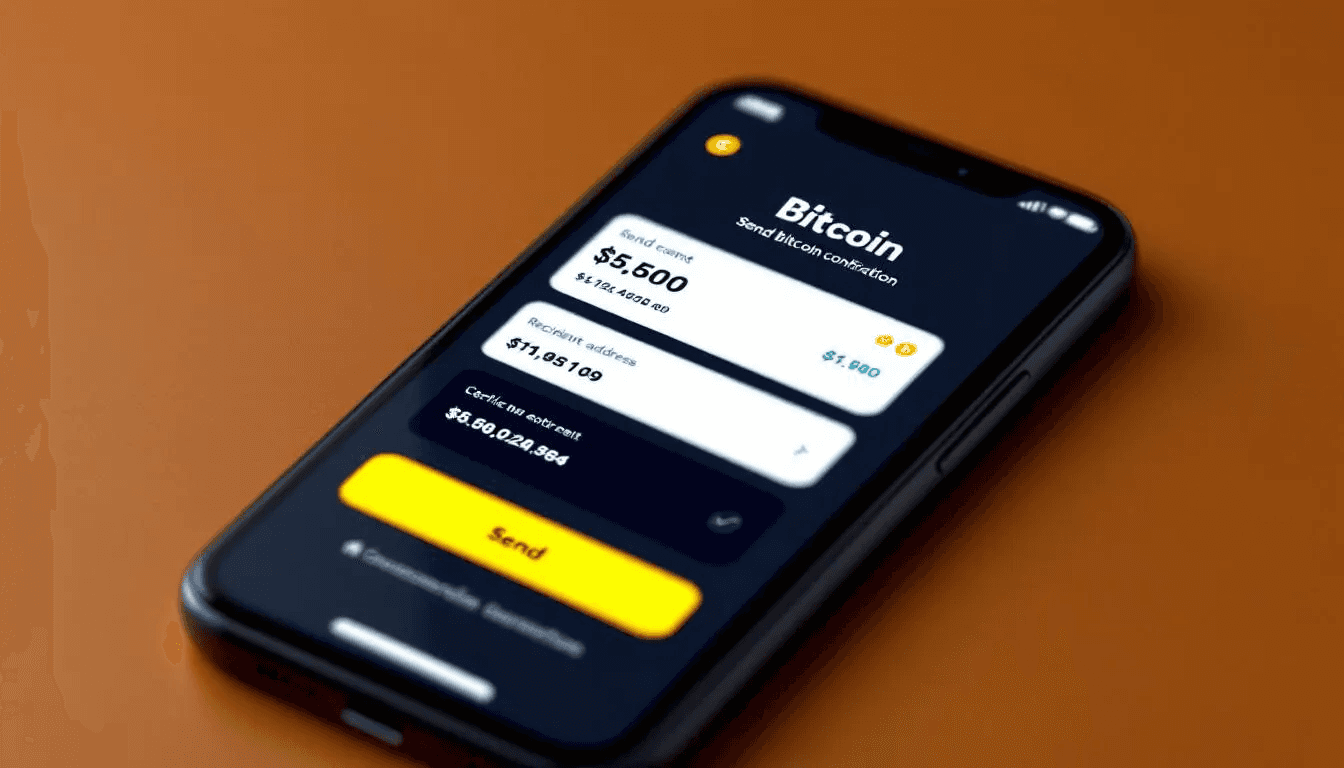
Before finalizing your transaction, carefully review transaction details one final time.
Review all transaction details including:
Recipient address
Amount to send
Transaction fee
Total cost (amount + fee)
Complete security verification - enter your PIN, password, or provide biometric authentication
Confirm the transaction - tap or click the final confirmation button
Save the transaction id - your wallet will provide a TXID for tracking
Once you confirm, the transaction broadcasts to the Bitcoin network and cannot be canceled. You’ll receive a transaction id (TXID) that you can use to track the payment’s progress.
Bitcoin Network Options
When sending Bitcoin, you have two main network options, each with different characteristics regarding speed, cost, and use cases.
Main Bitcoin Network
The traditional Bitcoin blockchain offers maximum security but comes with trade-offs in speed and cost.
Characteristics:
Higher transaction fees ($1-$20+ depending on network congestion)
Longer confirmation times (10+ minutes for first confirmation)
Maximum security and decentralization
Best for larger amounts and long-term storage transfers
Suitable when security is more important than speed
When to use: Sending significant amounts, moving Bitcoin to cold storage, or when security is the primary concern.
Lightning Network
The lightning network is a solution built on top of Bitcoin which enables instant, low-cost transactions.
Characteristics:
Nearly instant transactions (seconds)
Very low fees (typically less than $0.01)
Ideal for small, frequent payments
Requires opening payment channels
Less suitable for large amounts
How to use Lightning: Look for wallets that support Lightning invoices - these are special payment requests that route through the Lightning network. The process is similar to regular Bitcoin transactions but uses a different address format.
When to use: Small purchases, micropayments, sending Bitcoin between Lightning-enabled wallets, or when speed is essential.
Verifying Your Bitcoin Transaction
After sending Bitcoin, you’ll want to verify that your transaction is progressing normally through the network. Here’s how to track and confirm your payment.
Using Blockchain Explorers
Blockchain explorers are websites that allow you to search and view Bitcoin transactions in real-time. Popular options include:
Blockchain.info
Blockchair.com
Mempool.space
Btc.com
To track your transaction:
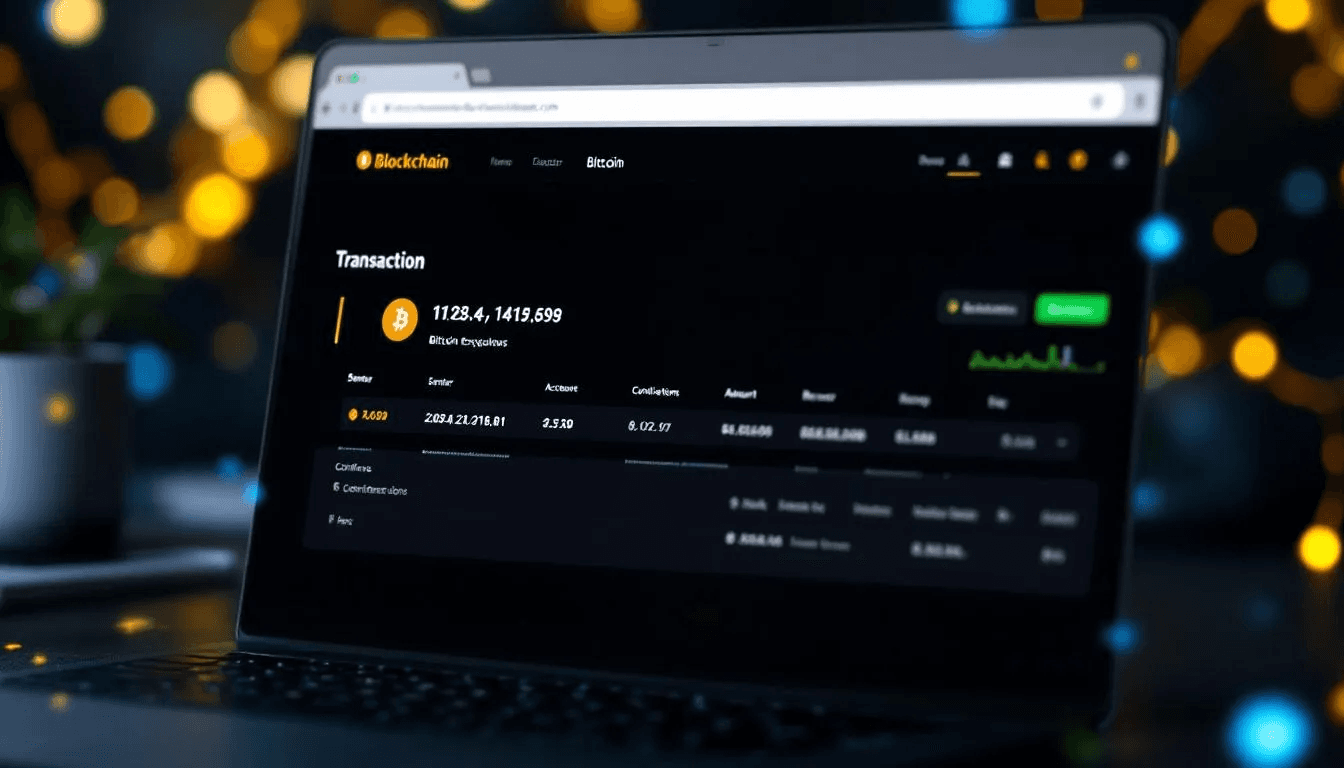
Copy your transaction id (TXID) from your wallet
Visit a blockchain explorer website
Paste the TXID into the search bar
View transaction details including confirmations and status
Understanding Confirmations
Each time a new block is added to the blockchain containing your transaction, you receive one confirmation. More confirmations mean greater security:
0 confirmations: Transaction is in the mempool (pending)
1 confirmation: Transaction included in a block (usually sufficient for small amounts)
3 confirmations: Generally considered secure for most purposes
6+ confirmations: Maximum security for large amounts
Typical Timeframes
First confirmation: 10-60 minutes (average 10 minutes)
3 confirmations: 30-180 minutes
6 confirmations: 60-360 minutes
Network congestion can extend these times significantly during busy periods.
Sharing Transaction Proof
If you need to prove payment to the recipient, you can share:
The transaction id (TXID)
A link to the transaction on a blockchain explorer
A screenshot of the confirmed transaction
Transaction Fees and Limits
Understanding how Bitcoin transaction fees work will help you optimize your transfers for cost and speed.
How Fees Are Calculated
Bitcoin transaction fees are determined by several factors:
Network congestion: Higher demand = higher fees
Transaction size: More inputs/outputs = larger transaction = higher fee
Priority level: Faster confirmation = higher fee
Fee market dynamics: Supply and demand for block space
Unlike traditional banks that charge fixed fees, Bitcoin fees fluctuate constantly based on network conditions.
Fee Estimation and Levels
Most wallets provide fee estimation tools with options like:
Fee Level | Confirmation Time | Typical Cost | Best For |
Economy | 1-24 hours | $1-$3 | Non-urgent transfers |
Standard | 30-120 minutes | $3-$8 | Regular transactions |
Priority | 10-30 minutes | $8-$20+ | Urgent payments |
Platform Limits
Different wallet providers and exchanges impose various sending limits:
Daily limits:
Cash App: $2,500 per day (verified accounts)
Coinbase: $25,000 per day
Hardware wallets: No built-in limits
Weekly/Monthly limits:
Most exchanges: $50,000-$100,000+ for fully verified accounts
Mobile wallets: Vary widely by provider and verification level
Check your specific platform’s current limits in your account settings, as these can change and depend on your verification status.
Safety Tips and Best Practices
Given the irreversible nature of Bitcoin transactions, following safety best practices is essential to protect your funds.
Essential Safety Measures
Always send a test transaction first - Before sending large amounts, send a small amount (like $10-$20 worth) to verify the address works correctly. This small cost can save you from losing significant funds to a wrong address.
Double-check recipient addresses - Compare the address character by character or use QR code scanning to avoid typos. Even one incorrect character will send Bitcoin to the wrong wallet permanently.
Keep private keys secure - Your private keys control access to your Bitcoin. Never share them, store them securely offline, and use strong passwords to protect wallet apps.
Use reputable wallets - Stick to well-known, regularly updated wallet applications from trusted developers. Avoid unknown or recently created wallet apps.
Verify network selection - Ensure you’re sending on the correct network (Bitcoin vs Bitcoin Cash, for example) as sending to the wrong network results in lost funds.
Advanced Security Practices
Enable two-factor authentication on exchange accounts
Use hardware wallets for storing significant amounts
Keep your wallet software updated
Write down and securely store wallet recovery phrases
Consider using multi-signature wallets for large amounts
Common Scams to Avoid
Never send Bitcoin to “double your money” schemes
Be wary of unsolicited investment opportunities
Verify recipient identities through multiple channels
Don’t send Bitcoin to resolve “account issues” without verification

Common Issues and Troubleshooting
Despite following best practices, you may encounter issues when sending Bitcoin. Here’s how to handle common problems.
Stuck Transactions
If your transaction appears stuck (unconfirmed for hours), consider these solutions:
Low fee transactions:
Wait patiently - even low-fee transactions usually confirm eventually
Some wallets support “Replace-by-Fee” (RBF) to increase the fee
Contact your wallet provider for assistance
Network congestion:
Check current network status on sites like mempool.space
Wait for congestion to clear (typically 24-48 hours maximum)
Plan future transactions during less busy periods
Insufficient Balance Errors
This error occurs when you don’t have enough Bitcoin to cover both the amount you want to send plus the transaction fee.
Solutions:
Reduce the amount you’re sending
Add more Bitcoin to your wallet
Choose a lower fee option if available
Wait for network fees to decrease
Wallet Synchronization Problems
If your wallet isn’t syncing properly:
Check your internet connection
Restart the wallet application
Try connecting to a different network
Contact wallet support if issues persist
Wrong Address Scenarios
If you accidentally send to the wrong address:
Bitcoin transactions cannot be reversed
Contact the recipient if you know them
Check if you control the destination wallet
Learn from the mistake and implement better verification practices
Network Congestion Delays
During high-traffic periods:
Transactions may take several hours or even days
Higher fees can help prioritize your transaction
Monitor network status before sending urgent payments
Consider using the Lightning Network for faster transfers
Popular Bitcoin Wallets for Sending
Choosing the right wallet affects your sending experience, security, and available features. Here’s a comparison of popular options.
Mobile Wallets
Cash App
Pros: User-friendly, integrated with existing app, good for beginners
Cons: Limited advanced features, custodial (they control keys)
Best for: Casual users, small amounts, US residents
Coinbase Wallet
Pros: Easy to use, good security features, supports multiple cryptocurrencies
Cons: Fees can be high, requires account verification
Best for: Beginners who want multiple crypto support
Trust Wallet
Pros: Non-custodial (you control keys), supports many cryptocurrencies
Cons: More complex for beginners
Best for: Users who want control over their private keys
Desktop Wallets
Electrum
Pros: Lightweight, fast, advanced features, long-established
Cons: Interface can be intimidating for beginners
Best for: Experienced users who want full control
Bitcoin Core
Pros: Full node, maximum security and privacy
Cons: Large download (400+ GB), slow initial sync
Best for: Technical users who want to support the network
Hardware Wallets
Ledger
Pros: Maximum security, supports multiple cryptocurrencies
Cons: Higher cost, slight learning curve
Best for: Storing larger amounts securely
Trezor
Pros: Open-source, excellent security, user-friendly
Cons: Limited cryptocurrency support compared to Ledger
Best for: Security-conscious users who prefer open-source solutions
Exchange vs Personal Wallets
Feature | Exchange Wallets | Personal Wallets |
Control | Platform controls keys | You control keys |
Security | Dependent on exchange | Dependent on your practices |
Features | Trading, buying/selling | Sending/receiving focus |
Recovery | Platform support | Your responsibility |
Fees | May be higher | Usually lower |
Recommendation: Use exchange wallets for trading and personal wallets for holding crypto long-term.
Tax Implications of Sending Bitcoin
Understanding the tax implications of sending Bitcoin can help you avoid unexpected obligations and maintain proper records.
When Transfers Trigger Tax Events
Not all Bitcoin transfers create taxable events. Here’s what typically does and doesn’t:
Generally NOT taxable:
Sending Bitcoin between your own wallets
Transferring Bitcoin to family members as gifts (under annual limits)
Moving Bitcoin from an exchange to your personal wallet
Generally taxable:
Selling Bitcoin for cash or other cryptocurrencies
Using Bitcoin to purchase goods or services
Receiving Bitcoin as payment for work or services
Record Keeping Requirements
Maintain detailed records of all cryptocurrency transactions including:
Date and time of each transaction
Amount of Bitcoin sent/received
US dollar value at the time of transaction
Transaction fees paid
Purpose of the transaction
Wallet addresses involved
Many wallet apps and exchanges provide transaction history exports that can help with tax preparation.
Bitcoin Transfers vs Sales
It’s important to distinguish between transferring Bitcoin (moving it between wallets) and selling Bitcoin (exchanging it for fiat currency or other assets). Transfers typically don’t trigger immediate tax consequences, while sales often do.
Professional Consultation
Tax laws regarding cryptocurrency vary by jurisdiction and change frequently. For complex situations involving large amounts or business use, consult with tax professionals who understand cryptocurrency regulations in your area.
Consider using cryptocurrency tax software like CoinTracker or TaxBit to help calculate obligations and maintain proper records for your Bitcoin transactions.

Conclusion
Learning how to send Bitcoin safely is an essential skill for anyone interested in cryptocurrency. By following the step-by-step process outlined in this guide, understanding transaction fees, and implementing proper safety measures, you can confidently transfer btc while minimizing risks.
Remember these key points when sending Bitcoin:
Always verify recipient addresses carefully and consider sending test transactions first
Understand that Bitcoin transactions are irreversible once confirmed
Choose appropriate transaction fees based on your urgency and budget
Keep detailed records for tax purposes
Use reputable wallets and keep your private keys secure
Start with small amounts to practice the process and build confidence. As you become more comfortable with sending Bitcoin, you can explore advanced features like the Lightning Network for faster, cheaper transactions.
Whether you’re sending Bitcoin to friends, making purchases, or managing your cryptocurrency portfolio, the principles in this guide will help you navigate the process safely and efficiently. Take your time, double check everything, and never hesitate to send a small test transaction when in doubt.