" height="31.469717497114758px" id="eCOXNpv5s" transform="translate(0 8.53)" width="32.43161611406683px"/><path d="M 6.851 1.35 C 6.851 4.361 4.335 6.803 1.23 6.803 L 0 6.803 L 0 5.452 C 0 2.442 2.515 0 5.62 0 L 6.85 0 L 6.85 1.35 Z" fill="rgb(255, 87, 20)" height="6.8031511867128245px" id="yGyYVDzJf" transform="translate(16.216 0)" width="6.851178904096614px"/><path d="M 59.255 11.828 C 59.12 11.828 59.053 11.758 59.053 11.615 L 59.053 0.426 C 59.053 0.285 59.12 0.214 59.255 0.214 L 66.26 0.214 C 66.394 0.214 66.46 0.284 66.46 0.427 L 66.46 1.881 C 66.46 2.022 66.394 2.093 66.26 2.093 L 61.248 2.093 L 61.248 5.054 L 65.821 5.054 C 65.955 5.054 66.022 5.125 66.022 5.268 L 66.022 6.633 C 66.022 6.774 65.955 6.845 65.821 6.845 L 61.248 6.845 L 61.248 9.948 L 66.26 9.948 C 66.394 9.948 66.46 10.019 66.46 10.161 L 66.46 11.616 C 66.46 11.757 66.394 11.828 66.26 11.828 Z M 51.202 12.04 C 50.313 12.04 49.532 11.874 48.861 11.544 C 48.203 11.213 47.662 10.694 47.307 10.054 C 46.942 9.403 46.758 8.606 46.758 7.66 L 46.758 4.38 C 46.758 2.962 47.184 1.88 48.038 1.135 C 48.904 0.378 50.087 0 51.587 0 C 52.661 0 53.563 0.166 54.294 0.497 C 55.037 0.828 55.581 1.289 55.922 1.88 C 56.276 2.459 56.398 3.127 56.287 3.884 C 56.276 4.024 56.202 4.097 56.068 4.097 L 54.295 4.078 C 54.148 4.078 54.081 4.008 54.092 3.866 C 54.117 3.44 54.038 3.079 53.855 2.784 C 53.684 2.477 53.416 2.246 53.05 2.092 C 52.685 1.939 52.215 1.862 51.641 1.862 C 50.751 1.862 50.08 2.074 49.629 2.5 C 49.178 2.914 48.953 3.559 48.953 4.433 L 48.953 7.607 C 48.953 8.494 49.172 9.143 49.612 9.558 C 50.062 9.971 50.727 10.178 51.605 10.178 C 52.459 10.178 53.111 9.989 53.562 9.611 C 54.014 9.22 54.239 8.659 54.239 7.926 L 54.239 7.359 L 51.77 7.359 C 51.623 7.359 51.55 7.288 51.55 7.146 L 51.55 5.958 C 51.55 5.828 51.623 5.762 51.77 5.762 L 56.123 5.762 C 56.257 5.762 56.325 5.828 56.325 5.958 L 56.325 9.22 C 56.325 9.622 56.331 10.031 56.343 10.444 C 56.367 10.858 56.41 11.242 56.471 11.597 C 56.495 11.667 56.483 11.728 56.434 11.774 C 56.395 11.81 56.342 11.829 56.288 11.827 L 54.86 11.827 C 54.809 11.83 54.758 11.817 54.714 11.792 C 54.674 11.751 54.643 11.703 54.623 11.65 C 54.594 11.479 54.569 11.308 54.549 11.136 L 54.512 10.55 L 54.476 10.55 C 54.265 10.862 53.998 11.132 53.69 11.348 C 53.364 11.583 52.998 11.757 52.61 11.863 C 52.151 11.986 51.677 12.046 51.201 12.04 Z M 34.943 11.828 C 34.809 11.828 34.742 11.758 34.742 11.615 L 34.742 0.426 C 34.742 0.285 34.809 0.214 34.943 0.214 L 37.541 0.214 C 37.662 0.214 37.748 0.261 37.797 0.355 L 40.741 6.119 C 40.949 6.508 41.138 6.886 41.309 7.253 C 41.63 7.897 41.923 8.553 42.187 9.222 L 42.241 9.222 C 42.217 8.903 42.199 8.559 42.186 8.193 L 42.15 7.059 L 42.15 0.427 C 42.15 0.285 42.217 0.214 42.352 0.214 L 44.071 0.214 C 44.217 0.214 44.29 0.284 44.29 0.427 L 44.29 11.616 C 44.29 11.757 44.217 11.828 44.071 11.828 L 41.509 11.828 C 41.388 11.828 41.303 11.781 41.254 11.686 L 38.4 6.119 C 38.215 5.759 38.032 5.399 37.852 5.037 C 37.683 4.664 37.513 4.291 37.34 3.92 C 37.189 3.57 37.036 3.222 36.882 2.873 L 36.827 2.873 L 36.864 3.99 C 36.876 4.369 36.882 4.747 36.882 5.125 L 36.882 11.615 C 36.882 11.757 36.809 11.828 36.663 11.828 Z M 22.818 11.828 C 22.659 11.828 22.598 11.752 22.635 11.597 L 26.586 0.373 C 26.622 0.267 26.701 0.213 26.823 0.213 L 29.164 0.213 C 29.299 0.213 29.384 0.267 29.421 0.373 L 33.389 11.597 C 33.439 11.752 33.383 11.828 33.225 11.828 L 31.286 11.828 C 31.165 11.828 31.085 11.775 31.048 11.668 L 28.689 4.381 C 28.567 3.99 28.446 3.607 28.324 3.228 L 27.994 2.057 L 27.957 2.057 C 27.848 2.436 27.732 2.82 27.609 3.21 C 27.5 3.589 27.384 3.967 27.262 4.344 L 24.958 11.65 C 24.921 11.769 24.837 11.828 24.702 11.828 L 22.817 11.828 Z M 25.323 9.399 L 25.744 7.661 L 30.189 7.661 L 30.628 9.399 Z M 12.919 11.828 C 12.784 11.828 12.717 11.758 12.717 11.615 L 12.717 0.426 C 12.717 0.285 12.784 0.214 12.919 0.214 L 16.76 0.214 C 18.333 0.214 19.479 0.509 20.199 1.1 C 20.918 1.68 21.278 2.531 21.278 3.654 C 21.278 4.47 21.083 5.161 20.692 5.728 C 20.314 6.284 19.748 6.668 18.992 6.881 L 18.992 6.917 L 21.936 11.58 C 21.986 11.65 21.992 11.711 21.954 11.757 C 21.93 11.805 21.875 11.828 21.79 11.828 L 19.76 11.828 C 19.655 11.831 19.556 11.777 19.504 11.686 L 16.742 7.201 L 14.912 7.201 L 14.912 11.616 C 14.912 11.757 14.839 11.828 14.694 11.828 Z M 14.912 5.516 L 16.669 5.516 C 17.51 5.516 18.119 5.374 18.497 5.09 C 18.887 4.806 19.083 4.351 19.083 3.725 C 19.083 3.11 18.906 2.672 18.553 2.413 C 18.198 2.152 17.601 2.022 16.759 2.022 L 14.912 2.022 L 14.912 5.515 Z M 5.412 12.04 C 3.804 12.04 2.596 11.668 1.791 10.923 C 0.986 10.166 0.585 9.084 0.585 7.678 L 0.585 4.362 C 0.585 2.943 0.986 1.862 1.791 1.117 C 2.596 0.372 3.804 0 5.413 0 C 7.01 0 8.211 0.372 9.016 1.117 C 9.821 1.862 10.223 2.943 10.223 4.362 L 10.223 7.678 C 10.223 9.084 9.821 10.167 9.017 10.923 C 8.211 11.667 7.01 12.04 5.413 12.04 Z M 5.412 10.178 C 6.279 10.178 6.931 9.959 7.37 9.522 C 7.809 9.073 8.029 8.423 8.029 7.572 L 8.029 4.469 C 8.029 3.618 7.809 2.974 7.37 2.536 C 6.931 2.086 6.279 1.862 5.413 1.862 C 4.546 1.862 3.889 2.086 3.437 2.536 C 2.999 2.974 2.778 3.618 2.778 4.469 L 2.778 7.572 C 2.778 8.423 2.999 9.073 3.437 9.522 C 3.889 9.959 4.548 10.178 5.413 10.178 Z M 59.488 25.96 C 59.38 25.96 59.326 25.905 59.326 25.796 L 59.326 15.351 C 59.326 15.241 59.38 15.187 59.488 15.187 L 61.849 15.187 C 63.197 15.187 64.205 15.565 64.874 16.321 C 65.542 17.068 65.877 18.203 65.877 19.726 L 65.877 21.026 C 65.877 22.682 65.548 23.921 64.891 24.743 C 64.233 25.555 63.235 25.96 61.898 25.96 Z M 60.863 24.545 L 61.8 24.545 C 62.674 24.545 63.316 24.266 63.726 23.707 C 64.136 23.148 64.34 22.27 64.34 21.075 L 64.34 19.677 C 64.34 18.635 64.136 17.862 63.726 17.359 C 63.316 16.854 62.664 16.601 61.768 16.601 L 60.863 16.601 L 60.863 24.546 Z M 50.762 25.96 C 50.664 25.96 50.616 25.905 50.616 25.796 L 50.616 15.351 C 50.616 15.241 50.664 15.187 50.762 15.187 L 53.285 15.187 C 54.396 15.187 55.215 15.439 55.743 15.944 C 56.272 16.447 56.535 17.215 56.535 18.246 C 56.535 19.036 56.396 19.677 56.115 20.171 C 55.858 20.644 55.44 21.011 54.935 21.207 L 54.935 21.223 L 56.972 25.746 C 57.037 25.889 57 25.96 56.86 25.96 L 55.468 25.96 C 55.393 25.96 55.338 25.922 55.306 25.845 L 53.398 21.486 L 52.154 21.486 L 52.154 25.796 C 52.154 25.906 52.105 25.96 52.008 25.96 L 50.763 25.96 Z M 52.153 20.154 L 53.253 20.154 C 53.867 20.154 54.309 20.006 54.578 19.71 C 54.848 19.414 54.984 18.953 54.984 18.328 C 54.984 17.692 54.848 17.242 54.578 16.979 C 54.309 16.716 53.878 16.585 53.285 16.585 L 52.153 16.585 Z M 41.428 25.96 C 41.32 25.96 41.282 25.9 41.315 25.78 L 43.983 15.318 C 44.006 15.231 44.064 15.187 44.162 15.187 L 45.828 15.187 C 45.914 15.187 45.973 15.231 46.005 15.317 L 48.706 25.78 C 48.727 25.9 48.685 25.96 48.577 25.96 L 47.202 25.96 C 47.137 25.96 47.084 25.916 47.04 25.829 L 45.455 18.92 C 45.369 18.56 45.289 18.198 45.213 17.835 C 45.138 17.473 45.062 17.106 44.987 16.732 L 44.954 16.732 C 44.889 17.106 44.819 17.473 44.743 17.835 C 44.668 18.187 44.592 18.548 44.517 18.92 L 42.932 25.829 C 42.911 25.916 42.851 25.96 42.754 25.96 Z M 43.207 23.526 L 43.482 22.178 L 46.458 22.178 L 46.765 23.526 L 43.208 23.526 Z M 33.5 25.96 C 33.391 25.96 33.338 25.905 33.338 25.796 L 33.338 15.351 C 33.338 15.241 33.391 15.187 33.5 15.187 L 35.861 15.187 C 37.209 15.187 38.217 15.565 38.886 16.321 C 39.554 17.068 39.889 18.203 39.889 19.726 L 39.889 21.026 C 39.889 22.682 39.559 23.921 38.902 24.743 C 38.244 25.555 37.247 25.96 35.909 25.96 Z M 34.874 24.545 L 35.813 24.545 C 36.686 24.545 37.328 24.266 37.737 23.707 C 38.147 23.148 38.351 22.27 38.351 21.075 L 38.351 19.677 C 38.351 18.635 38.147 17.862 37.737 17.359 C 37.328 16.854 36.675 16.601 35.78 16.601 L 34.874 16.601 L 34.874 24.546 Z M 24.031 25.96 C 23.934 25.96 23.885 25.905 23.885 25.796 L 23.885 15.351 C 23.885 15.241 23.934 15.187 24.031 15.187 L 25.858 15.187 C 25.955 15.187 26.015 15.225 26.036 15.301 L 28.091 21.059 C 28.209 21.366 28.322 21.695 28.43 22.045 C 28.549 22.397 28.656 22.737 28.755 23.066 C 28.862 23.383 28.947 23.679 29.012 23.953 L 29.061 23.953 C 29.037 23.619 29.015 23.284 28.996 22.949 L 28.964 21.832 L 28.964 15.351 C 28.964 15.241 29.012 15.187 29.109 15.187 L 30.306 15.187 C 30.404 15.187 30.452 15.241 30.452 15.351 L 30.452 25.796 C 30.452 25.906 30.404 25.96 30.306 25.96 L 28.495 25.96 C 28.419 25.96 28.36 25.922 28.317 25.845 L 26.311 20.253 C 26.121 19.736 25.943 19.215 25.778 18.69 C 25.638 18.201 25.492 17.713 25.341 17.226 L 25.309 17.226 C 25.319 17.544 25.325 17.901 25.325 18.296 L 25.357 19.447 C 25.368 19.83 25.374 20.193 25.374 20.532 L 25.374 25.796 C 25.374 25.906 25.325 25.96 25.228 25.96 Z M 14.698 25.96 C 14.589 25.96 14.552 25.9 14.584 25.78 L 17.253 15.318 C 17.274 15.231 17.334 15.187 17.431 15.187 L 19.097 15.187 C 19.183 15.187 19.242 15.231 19.275 15.317 L 21.975 25.78 C 21.998 25.9 21.954 25.96 21.847 25.96 L 20.471 25.96 C 20.407 25.96 20.353 25.916 20.309 25.829 L 18.724 18.92 C 18.639 18.56 18.558 18.198 18.482 17.835 C 18.407 17.473 18.331 17.106 18.256 16.732 L 18.224 16.732 C 18.159 17.106 18.089 17.473 18.013 17.835 C 17.938 18.187 17.862 18.548 17.787 18.92 L 16.202 25.829 C 16.18 25.916 16.121 25.96 16.023 25.96 Z M 16.476 23.526 L 16.752 22.178 L 19.728 22.178 L 20.035 23.526 L 16.477 23.526 Z M 10.267 25.96 C 10.17 25.96 10.122 25.905 10.122 25.796 L 10.122 16.619 L 7.97 16.619 C 7.874 16.619 7.825 16.559 7.825 16.438 L 7.825 15.353 C 7.825 15.242 7.874 15.188 7.97 15.188 L 13.81 15.188 C 13.906 15.188 13.955 15.242 13.955 15.353 L 13.955 16.437 C 13.955 16.558 13.906 16.618 13.81 16.618 L 11.658 16.618 L 11.658 25.797 C 11.658 25.907 11.609 25.961 11.512 25.961 L 10.267 25.961 Z M 2.948 26.093 C 1.848 26.093 1.061 25.807 0.587 25.237 C 0.123 24.667 -0.066 23.91 0.02 22.967 C 0.03 22.814 0.085 22.737 0.182 22.737 L 1.378 22.737 C 1.487 22.737 1.54 22.814 1.54 22.968 C 1.498 23.548 1.6 23.987 1.848 24.282 C 2.107 24.568 2.495 24.711 3.013 24.711 C 3.52 24.711 3.892 24.595 4.128 24.365 C 4.366 24.135 4.485 23.773 4.485 23.28 C 4.485 23.027 4.452 22.802 4.387 22.605 C 4.32 22.403 4.209 22.218 4.063 22.062 C 3.897 21.877 3.7 21.721 3.481 21.602 L 1.751 20.566 C 1.169 20.204 0.743 19.803 0.473 19.365 C 0.215 18.915 0.09 18.367 0.101 17.72 C 0.111 16.854 0.355 16.195 0.829 15.746 C 1.314 15.285 2.015 15.055 2.932 15.055 C 3.946 15.055 4.706 15.324 5.212 15.861 C 5.729 16.387 5.945 17.134 5.859 18.099 C 5.838 18.263 5.784 18.345 5.697 18.345 L 4.469 18.345 C 4.361 18.345 4.317 18.263 4.34 18.098 C 4.383 17.582 4.281 17.183 4.033 16.898 C 3.796 16.602 3.44 16.453 2.965 16.453 C 2.545 16.453 2.222 16.558 1.995 16.766 C 1.769 16.963 1.655 17.27 1.655 17.687 C 1.645 18.071 1.72 18.389 1.881 18.64 C 2.043 18.882 2.313 19.112 2.69 19.333 L 4.372 20.351 C 4.782 20.592 5.105 20.851 5.343 21.124 C 5.59 21.388 5.769 21.695 5.876 22.046 C 5.985 22.385 6.038 22.797 6.038 23.28 C 6.038 24.168 5.79 24.858 5.294 25.352 C 4.798 25.846 4.016 26.092 2.949 26.092 Z" fill="rgb(23, 23, 23)" height="26.09262957451628px" id="G_jsIAzLG" transform="translate(40.54 11.039)" width="66.46047841033874px"/></g></svg>)
" height="31.469717497114758px" id="nxleYtm6x" transform="translate(1 8.53)" width="32.43161611406683px"/><path d="M 6.851 1.35 C 6.851 4.361 4.335 6.803 1.23 6.803 L 0 6.803 L 0 5.452 C 0 2.442 2.515 0 5.62 0 L 6.85 0 L 6.85 1.35 Z" fill="rgb(255, 87, 20)" height="6.8031511867128245px" id="ZZ56pTyUM" transform="translate(17.216 0)" width="6.851178904096614px"/></svg>)

Over 20% of all Bitcoin in existence is lost forever, representing billions in digital wealth that can never be recovered. The difference between keeping and losing your cryptocurrency often comes down to one critical factor: proper wallet backups.
Bitcoin wallet backups are your lifeline to your digital assets. Unlike traditional banking where institutions can help recover lost accounts, Bitcoin operates on a self custody model where you alone control access to your funds. Understanding what bitcoin wallet backups are and how to create them securely could mean the difference between protecting your investment and watching it disappear into the digital void.
In this comprehensive guide, you’ll learn everything about bitcoin wallet backups - from the basic concepts to advanced security practices that protect against device loss, theft, and catastrophic events. Whether you’re storing Bitcoin on hardware wallets, mobile apps, or desktop software, proper backup procedures are crucial for maintaining access to your crypto assets.
Understanding Bitcoin Wallet Backups
Bitcoin wallet backups are digital keys or recovery information stored separately from your primary device that allow you to restore access to your cryptocurrency funds. Think of them as a master key that can recreate your entire wallet on any compatible device or software.
The most common form of wallet backup is a recovery phrase - typically 12 or 24 randomly generated words that contain all the information needed to restore your bitcoin wallet. These seed phrases are mathematically derived from your private keys using industry-standard algorithms, ensuring that anyone with access to the correct words can recreate your wallet exactly.
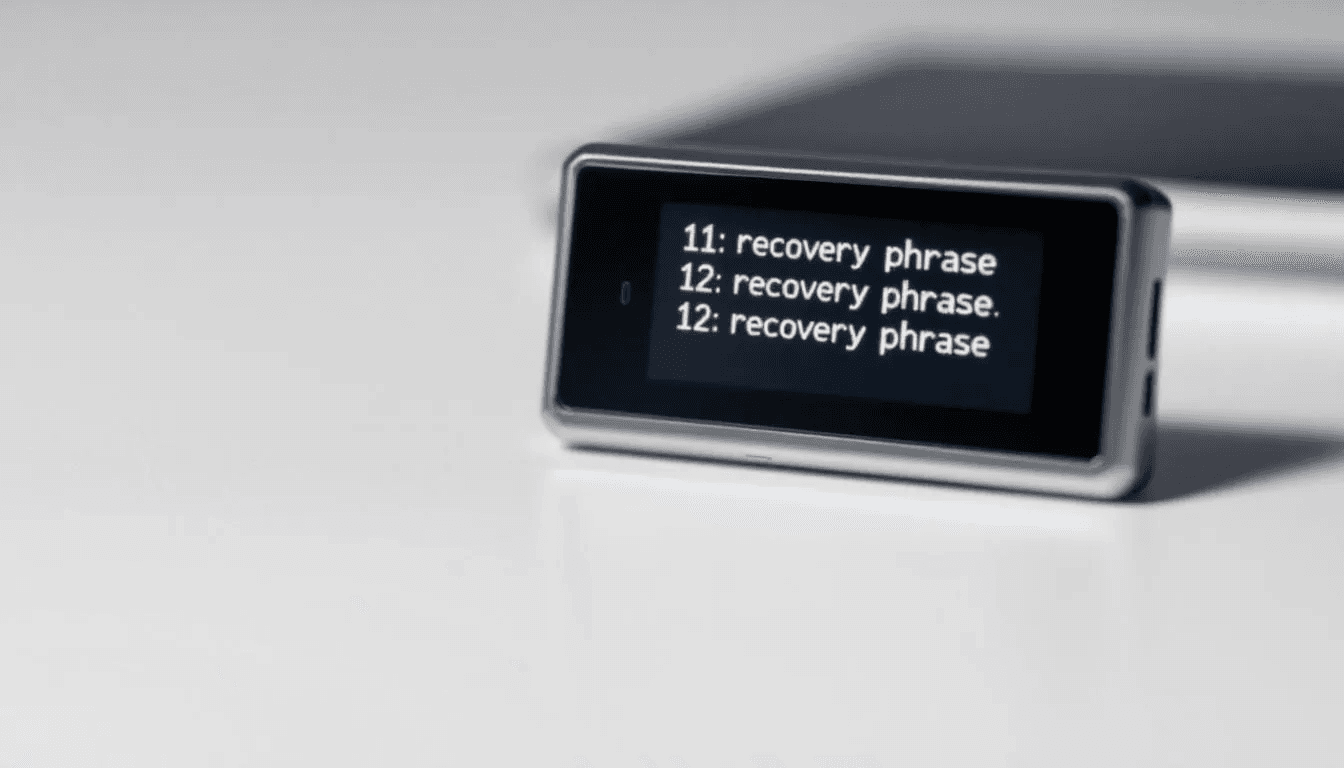
It’s important to understand the difference between the wallet application and the actual backup data. The wallet software is just an interface - the real value lies in the private keys or recovery phrase that control your Bitcoin addresses. You could delete the wallet app from your phone, but as long as you have your backup, you can restore access to your funds on any device.
Bitcoin wallets generate new addresses for enhanced privacy, but all these addresses derive from the same master seed. This means a single backup can restore access to your entire wallet history, including all addresses and their associated funds. The backup essentially works as a mathematical formula that regenerates all your private keys in the correct sequence.
Why Bitcoin Wallet Backups Are Essential
The self-custodial nature of Bitcoin means no third party can recover your funds if you lose access to your wallet. Banks can reset passwords and restore accounts, but with Bitcoin, you are the sole guardian of your digital wealth. Without proper backups, device loss equals permanent fund loss.
Statistics reveal the stark reality of poor backup practices. Research indicates that approximately 20% of Bitcoin’s total supply - worth hundreds of billions of dollars - remains permanently inaccessible due to lost private keys and forgotten recovery phrases. These aren’t small amounts either; individual cases involve people losing access to thousands of Bitcoin stored on old hard drives or forgotten wallet files.
Device failure presents constant risks to your crypto assets. Hardware failure affects all electronic devices eventually, whether it’s a smartphone crash, computer malfunction, or corrupted storage. Without backups, a simple device failure could instantly eliminate access to your digital wealth. Physical damage from water, fire, or impact can destroy devices permanently, making recovery impossible without proper backup procedures.
Security threats add another layer of risk requiring backup protection. Malware attacks can corrupt wallet files or steal passwords, while phishing scams trick users into compromising their devices. Even sophisticated users fall victim to compromised software or social engineering attacks. Having secure backups stored separately from your primary device ensures you can recover your funds even if your main wallet becomes compromised.
The irreversible nature of Bitcoin transactions means that once funds are lost due to missing backups, no authority can reverse the situation. There’s no customer service number to call, no password reset option, and no way to prove ownership without the private keys. Your backup is literally your only lifeline to your digital assets.
Types of Bitcoin Wallet Backup Data
Understanding the different types of data that need backing up helps you create comprehensive backup strategies. The most critical backup component is your recovery phrase, also called a seed phrase, which typically consists of 12 to 24 words randomly selected from a standardized word list. These words encode all the information needed to recreate your entire wallet.
Recovery Phrases (12-24 Words)
The industry standard for bitcoin backups uses BIP39 mnemonic phrases - human-readable word sequences that represent your wallet’s master seed. A 12-word phrase provides 128 bits of entropy, while 24-word phrases offer 256 bits for enhanced security. Each word comes from a predefined list of 2,048 possible words, and the order matters critically for successful restoration.
Private Keys for Individual Addresses
Older wallet types may require backing up individual private keys for each Bitcoin address. These 64-character hexadecimal strings control specific addresses rather than generating an entire wallet hierarchy. While less convenient than seed phrases, some advanced users prefer this method for certain security applications or when dealing with imported addresses.
Wallet.dat Files and Encrypted Backups
Desktop wallets like Bitcoin Core create wallet.dat files containing encrypted private key data. These backup files require both the file itself and the encryption password for restoration. The file contains all wallet addresses, transaction history, and private keys in encrypted format, making it crucial to save both the backup file and remember the encryption password.
Passphrases and Additional Security Layers
Many wallet implementations support BIP39 passphrases - additional words that encrypt your seed phrase for enhanced security. This creates a two-factor backup system where both the recovery phrase and passphrase are required for wallet restoration. The passphrase acts like a password that encrypts your entire wallet, creating effectively unlimited hidden wallets from a single seed phrase.
Master Passwords for Cloud Services
Some wallets offer encrypted cloud backup services that store your wallet data on cloud servers using master passwords for encryption. These systems backup your recovery phrases and wallet metadata automatically, but require strong master passwords that encrypt everything before uploading to remote storage.
Main Backup Methods for Bitcoin Wallets
Bitcoin wallet backup strategies generally fall into two categories: automatic cloud-based systems and manual physical backups. Each approach offers distinct advantages and trade-offs between convenience and security, with many users implementing hybrid strategies that combine multiple backup methods for redundancy.
The choice between automatic and manual backup approaches often depends on your technical expertise, security requirements, and the value of crypto assets you’re protecting. Automatic systems excel at convenience and reduce the risk of forgetting to create backups, while manual methods provide maximum control and eliminate reliance on third-party services.
Automatic Cloud Backup
Encrypted cloud backup represents the most convenient approach for securing your bitcoin wallet data. Services integrate with platforms like Google Drive, Apple iCloud, or Dropbox to automatically save encrypted backup files whenever you create new wallets or modify existing ones. The system encrypts all sensitive data using your master password before uploading anything to cloud servers.
The backup process begins when you create a master password that encrypts your entire wallet database. This password generates encryption keys that protect your recovery phrases, private keys, and wallet metadata before any data leaves your device. Cloud services only receive encrypted files that are useless without your master password, ensuring that even if the cloud provider experiences a security breach, your funds remain protected.
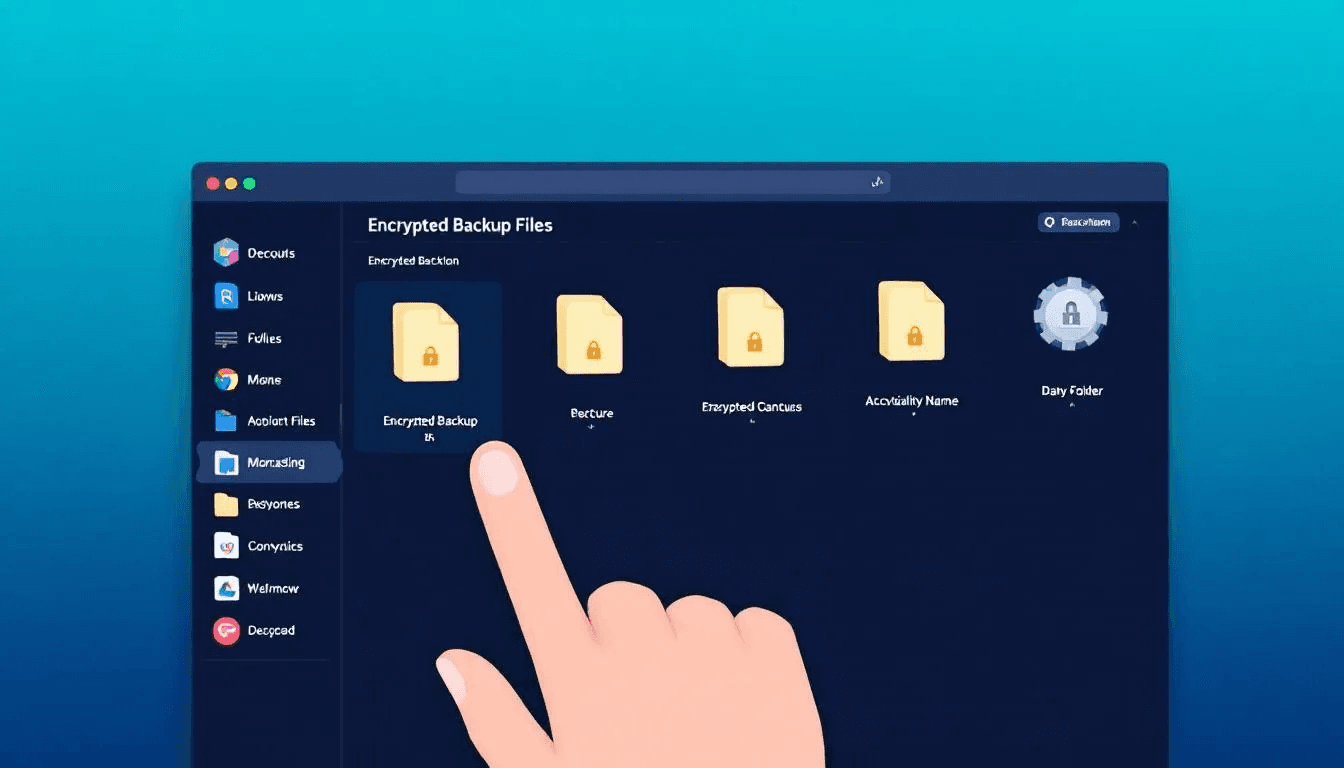
Automatic synchronization eliminates manual backup maintenance. Every time you create a new wallet, modify settings, or change security parameters, the system automatically generates updated encrypted backup files and uploads them to your selected cloud storage. This ensures your backups always reflect your current wallet configuration without requiring manual intervention.
Restoration from cloud backups involves reinstalling your wallet application and entering your master password to decrypt the backup data. The app downloads your encrypted files from cloud storage and uses your master password to decrypt your recovery phrases and wallet information. This process typically takes minutes and automatically restores all your wallets with complete transaction history.
Manual Paper and Metal Backups
Physical backup methods involve writing or engraving your recovery phrases onto durable materials stored in secure physical locations. Paper backups represent the simplest approach - writing your 12 or 24 word recovery phrase on paper using permanent ink and storing it in a safe location away from moisture and fire hazards.
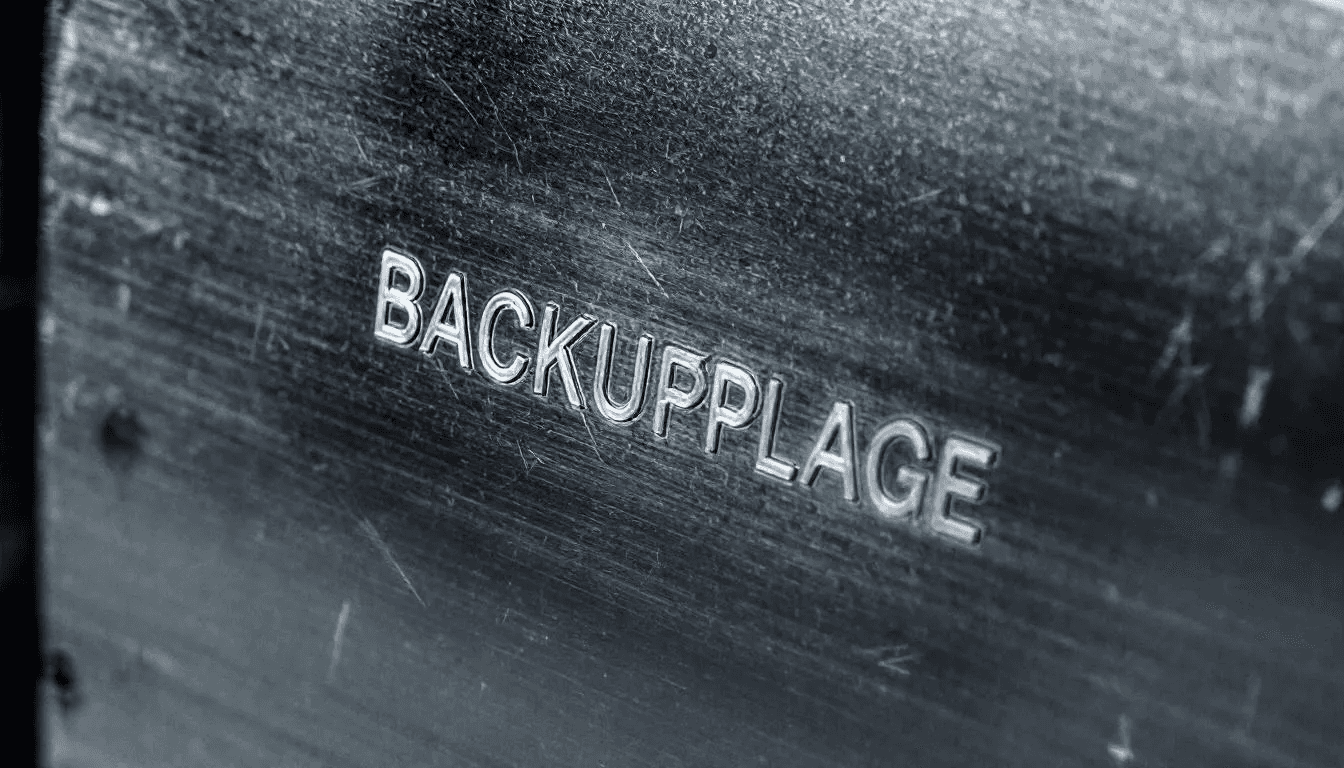
Metal backup solutions offer superior durability for long-term storage. These involve engraving or stamping your recovery phrase onto stainless steel plates, titanium sheets, or specialized metal backup devices designed specifically for cryptocurrency storage. Metal backups resist fire, water damage, and physical deterioration that can destroy paper over time.
Each cryptocurrency wallet requires individual backup procedures when using manual methods. Unlike automatic systems that backup multiple wallets simultaneously, manual backups must be created separately for each seed phrase. This means maintaining multiple sets of recovery words if you use different wallets for various purposes or cryptocurrencies.
The restoration process for manual backups requires carefully entering each word of your recovery phrase in the correct order. Most wallet applications include word verification features that check your entries against the standard BIP39 word list and validate the mathematical checksum embedded in the phrase. Successful restoration recreates your entire wallet with access to all addresses and transaction history.
How to Create Bitcoin Wallet Backups
Creating secure bitcoin wallet backups starts during the initial wallet setup process. Most modern wallet applications guide you through backup creation as part of the installation procedure, but understanding each step helps ensure you’re following best practices for long-term security.
Step 1: Generate Your Recovery Phrase
When setting up a new bitcoin wallet, the software generates a cryptographically secure random seed that creates your recovery phrase. This typically involves 12 or 24 words selected from the BIP39 word list. Never use online generators or create your own words - only trust the random generation built into reputable wallet software running on secure devices.
Step 2: Write Down Your Recovery Phrase
Record your recovery phrase exactly as displayed, maintaining the precise word order and spelling. Use permanent ink on high-quality paper, or better yet, engrave the words onto metal backup plates for long-term durability. Many users create multiple backup copies stored in different secure locations to protect against loss or damage to any single backup.
Step 3: Verify Your Backup Accuracy
Most wallet applications require you to verify your backup by re-entering selected words from your recovery phrase. This verification step catches transcription errors before you finalize the wallet setup. If verification fails, carefully compare your written backup against the original display and correct any mistakes.
Step 4: Test Backup Restoration
The most critical step involves testing your backup by actually restoring the wallet on a different device or app. Create a small test transaction, then restore the wallet using only your backup to confirm you can successfully access the funds. This test validates that your backup is complete and accurate before trusting it with larger amounts.
Step 5: Secure Your Backup Storage
Store your backup copies in multiple secure locations such as home safes, bank safe deposit boxes, or trusted family members’ secure storage. Avoid storing backups in the same location as your primary wallet device, and ensure backup locations are protected from theft, fire, flood, and other catastrophic events.
For cloud backups, create a strong master password that you can remember but others cannot guess. Use a combination of unrelated words, numbers, and symbols that creates a password resistant to brute force attacks. Consider using password managers to securely store your master password while maintaining access from multiple devices.
Restoring Bitcoin Wallets from Backups
Wallet restoration procedures vary depending on your backup method, but all successful recoveries require precise execution of the restoration process. Whether you’re recovering from cloud backups or manual recovery phrases, understanding the step-by-step process ensures smooth access to your funds when needed.
Cloud Backup Restoration
Restoring from encrypted cloud backups begins with downloading and installing your wallet application on a new device. During the setup process, select the restore option and choose your cloud storage provider. Enter your master password to decrypt the backup data and download your wallet information.
The application automatically synchronizes with your cloud storage, downloading all encrypted wallet files and transaction history. Your master password decrypts the data locally on your device, recreating all your wallets with their complete address histories. This process typically completes within minutes, depending on your internet connection speed and backup file sizes.
Manual Recovery Phrase Restoration
Restoring from recovery phrases involves entering your 12 or 24 words in the exact order they were originally generated. Install a compatible wallet application that supports BIP39 recovery phrases and select the restore wallet option during setup. Most applications include word prediction and auto-completion features that help prevent typing errors.
Enter each word carefully, double-checking spelling and order before proceeding. Many wallet apps verify each word against the BIP39 word list as you type, preventing invalid entries. After entering all words, the application validates the mathematical checksum embedded in the phrase and recreates your wallet if the phrase is correct.
Verification and Synchronization
After successful restoration, verify that all your Bitcoin addresses appear correctly and match your expectations. Check that your transaction history loads properly and that your account balances reflect the amounts you expect to find. Some wallets require time to synchronize with the Bitcoin network and download recent transaction data.
If you used passphrases with your recovery phrase, enter the additional passphrase after the main recovery words. The combination of recovery phrase plus passphrase recreates the exact wallet configuration you originally backed up. Without the correct passphrase, you’ll access a different (likely empty) wallet even with the correct recovery words.
Security Best Practices for Bitcoin Wallet Backups
Implementing proper security practices for your bitcoin wallet backups protects against both physical and digital threats while ensuring reliable access when restoration becomes necessary. These best practices have evolved from years of cryptocurrency security research and real-world experience with backup failures.
Never Store Recovery Phrases Digitally
Avoid storing your recovery phrases in digital formats such as smartphone photos, email drafts, cloud documents, or computer files. Digital storage exposes your backup to malware attacks, device compromisation, and remote theft. Even encrypted digital storage carries risks if passwords are compromised or encryption methods become vulnerable.
Use Multiple Secure Physical Locations
Distribute backup copies across geographically separated locations to protect against localized disasters like fires, floods, or burglaries. Consider storing copies in your home safe, a bank safe deposit box, and with trusted family members in different cities. This geographic distribution ensures that natural disasters or theft affecting one location don’t eliminate all your backups.
Implement Passphrase Protection
Adding BIP39 passphrases to your recovery phrases creates an additional security layer that protects against physical backup theft. Even if someone discovers your recovery phrase, they cannot access your funds without the separate passphrase. Store passphrases separately from recovery phrases to maintain this security benefit.
Regular Backup Testing and Verification
Test your backup restoration procedures annually or whenever you make significant changes to your wallet configuration. Regular testing reveals backup degradation, storage issues, or procedural mistakes before you need emergency restoration. Many users discover backup problems only when attempting emergency recovery, making regular testing crucial.
Protect Backup Locations and Access Information
Keep backup storage locations secret and limit knowledge of your backup procedures to essential family members or trusted associates. Avoid discussing backup methods or storage locations publicly, including on social media or cryptocurrency forums. Physical security for backup locations should match the value of digital assets they protect.

Use Metal Backup Solutions for Long-Term Storage
Paper backups degrade over time due to moisture, light exposure, and physical handling. Metal backup plates engraved or stamped with recovery phrases resist fire, water damage, and time-related deterioration. For significant cryptocurrency holdings, metal backups provide superior long-term reliability compared to paper alternatives.
Create Backup Inventory and Update Procedures
Maintain a secure inventory of backup locations and update procedures for accessing stored backups. Include information about who has access to each location and contact information for safe deposit box banks or storage facilities. Update this inventory when you relocate, change storage providers, or modify access arrangements.
Common Bitcoin Backup Mistakes to Avoid
Learning from common backup mistakes helps prevent costly errors that have caused permanent fund loss for thousands of cryptocurrency users. These mistakes often seem minor but can result in complete inability to recover digital assets when restoration becomes necessary.
Storing Recovery Phrases in Smartphone Photos
Many users photograph their recovery phrases for convenience, not realizing that photos stored on smartphones face numerous security risks. Photo backup services automatically upload images to cloud storage, potentially exposing recovery phrases to data breaches. Malware targeting smartphones can steal photo galleries, and lost or stolen phones provide direct access to backup photos.
Using Single Backup Locations Without Redundancy
Relying on only one backup copy creates single points of failure that eliminate all access if that location becomes inaccessible. House fires, floods, burglaries, or misplaced storage can destroy single backups permanently. Many users lose funds not because they failed to create backups, but because they stored only one copy in an insecure or vulnerable location.
Sharing Recovery Phrase Information with Untrusted Individuals
Some users share recovery phrase access with family members or friends without considering the security implications. Anyone with access to complete recovery phrases can steal funds without leaving evidence of theft. Even trusted individuals may inadvertently expose backup information through careless storage or discussions with others.
Forgetting to Backup New Wallets and Addresses
Users often backup their initial wallet carefully but forget to create backups for additional wallets created later. Each new wallet application or imported address may require separate backup procedures. This selective backing up leaves portions of cryptocurrency holdings vulnerable while creating false confidence in overall backup security.
Using Weak Master Passwords for Cloud Backup Encryption
Cloud backup services rely on master passwords for security, but many users choose weak passwords that are vulnerable to brute force attacks or social engineering. Simple passwords, personal information, or commonly used phrases provide minimal protection for encrypted backup files stored on cloud servers. Weak passwords essentially nullify the security benefits of encrypted backup systems.
Incomplete Backup Information Recording
Some backup methods require additional information beyond recovery phrases, such as derivation paths, wallet descriptors, or custom settings. Users often record only the basic recovery words while forgetting crucial configuration details needed for complete restoration. This partial backing up can prevent access to funds even with correct recovery phrases.
Not Testing Backup Restoration Procedures
Creating backups without testing restoration creates false security confidence. Many users discover backup problems only during emergency situations when successful recovery becomes critical. Untested backups may contain transcription errors, missing information, or procedural mistakes that prevent successful wallet restoration.
What to Do If Your Bitcoin Wallet Is Compromised
Discovering that your bitcoin wallet has been compromised requires immediate action to protect any remaining funds and prevent further losses. Speed is crucial because attackers with access to your private keys can transfer funds instantly and irreversibly.
Immediate Fund Transfer to New Wallet
Your first priority involves transferring any remaining funds to a new wallet with fresh recovery phrases generated on a clean device. Create the new wallet on a different device that you’re confident hasn’t been compromised, and immediately move all accessible funds to addresses controlled by the new wallet. Use the highest transaction fees to ensure quick confirmation and prevent attackers from double-spending your recovery transactions.
Generate New Backup Credentials and Storage
Create completely new backup procedures using different storage locations and security methods. If your original backup was stored in a location the attacker might know about, choose entirely different storage strategies. Generate new master passwords if you were using cloud backup services, and consider switching to different backup methods entirely to avoid repeat compromization.
Notify Contacts About New Wallet Addresses
Inform anyone who regularly sends you Bitcoin about your new wallet addresses to prevent funds from being sent to compromised addresses. Update your payment information with services or individuals who might send you cryptocurrency transactions. Consider this an opportunity to review and improve your address management practices for enhanced privacy and security.
Investigate Security Breach Sources
Try to determine how your wallet became compromised to prevent future incidents. Common breach sources include malware on your device, phishing websites that captured your recovery phrase, social engineering attacks that tricked you into revealing sensitive information, or physical theft of backup materials. Understanding the breach source helps you implement appropriate preventive measures.
Implement Enhanced Security Measures
Use the compromization event as motivation to upgrade your security practices beyond your previous methods. Consider implementing multi-signature wallets, hardware wallet storage, or Shamir’s Secret Sharing backup schemes that provide enhanced protection against future attacks. Review all your cryptocurrency security practices and identify areas for improvement.

Document the Incident for Learning
Record details about the compromization event for your own learning and to help others avoid similar situations. Note what security measures failed, how the attack occurred, and what warning signs you might have missed. This documentation helps refine your security practices and provides valuable information if you need to assist others who experience similar attacks.
Monitor Compromised Addresses
Continue monitoring your old wallet addresses to track attacker behavior and identify any patterns that might help prevent future attacks. Some attackers return to compromised wallets months later if they believe additional funds might be deposited. Monitoring also helps you understand the scope of the breach and identify any additional security measures that might be needed.
The cryptocurrency ecosystem offers no recourse for stolen funds, making prevention and rapid response your only protection against permanent loss. Treating wallet compromization as an urgent emergency requiring immediate action can mean the difference between minimal losses and complete fund theft.
Bitcoin wallet backups represent your most critical line of defense against permanent fund loss in the unforgiving world of cryptocurrency. Understanding what bitcoin wallet backups are and implementing proper backup procedures protects against the countless ways you might lose access to your digital assets.
The statistics speak clearly - 20% of all Bitcoin remains lost forever due to poor backup practices. Don’t become part of this statistic. Whether you choose automatic cloud backups with strong master passwords or manual metal backup solutions stored in multiple secure locations, the important step is taking action immediately.
Your crypto assets are only as secure as your backup strategy. Create multiple backups, test your restoration procedures regularly, and treat your recovery phrases with the same security you would apply to large amounts of cash. In the world of self custody, you are both the bank and the customer - act accordingly.
Start reviewing your current wallet backup procedures today. If you haven’t created proper backups yet, begin immediately before you accumulate more digital wealth. If your existing backups are weak or incomplete, upgrade them now while you still have access to your funds. Your future self will thank you for the effort you invest in proper bitcoin wallet backups today.